
01 / 05
Sorting the pack
Drawings, specs, schedules, an addendum or two. First you work out which revision is current.
FOR COMMERCIAL SUBCONTRACTORS WHO QUOTE FROM DRAWINGS
An AI estimating plugin built inside your existing Claude or ChatGPT account.


“We’ve worked with 80+ subcontractors on estimating and tendering.” Mac Sweeny & Sety, co-founders
Step 1: watch
the video (3 mins)
30 minutes, online. Bring a recent tender and the decision maker.
Step 2: pick a time
that suits you
Calendar not loading? Open it in a new tab →

“First draft came back in about 20 minutes and I had pricing approved inside two hours. That used to be four days.”
Set up with this customer's own process steps.
“It doesn’t pretend to be finished. Missing scope and open questions stay visible instead of the tool inventing a number.”
Your numbers will depend on your jobs, so we’ll measure it on three of yours, start to finish, checking and corrections included.
YOU’VE PROBABLY ALREADY TRIED IT
Every tender takes days of your most expensive person’s time, whether you win it or not.
So you drop the drawings into ChatGPT or Claude. Thirty seconds later, you’ve got a spreadsheet.
Then you look closer. Where did 42 downlights come from? Did it pick up the fire dampers on level two? Was that cable measured or made up? And those rates aren’t yours.
So to trust it, you redo it. You haven’t saved time, you’ve added a step.
Speed isn’t the problem. Trust is.
One prompt was never going to fix that, because estimating isn’t one task. It’s a process.
YOUR PROCESS RIGHT NOW
Reading the plans, the takeoff, the labour and everything in between. By hand, on every tender.
Drawings, specs, schedules, an addendum or two. First you work out which revision is current.
Hours on the plans, counting every fitting and measuring every run. Miss one and it’s your margin.
Every number into the spreadsheet by hand. Same template, same copy and paste.
Looking up your rates, chasing supplier prices, working out the labour. Line after line.
An addendum lands and you’re back at the takeoff, on a job you might not win.
THE SUBCONTRACTOR AGENT SYSTEM
We kept hitting that wall with 80+ subcontractors. So we stopped asking AI for a takeoff and built the whole process: the 15 stages a good estimator works through, in one custom estimating plugin for Claude or ChatGPT, set up around your trade, BOQ layout, pricing and quote.
Drawings, specs and schedules, however they arrive.
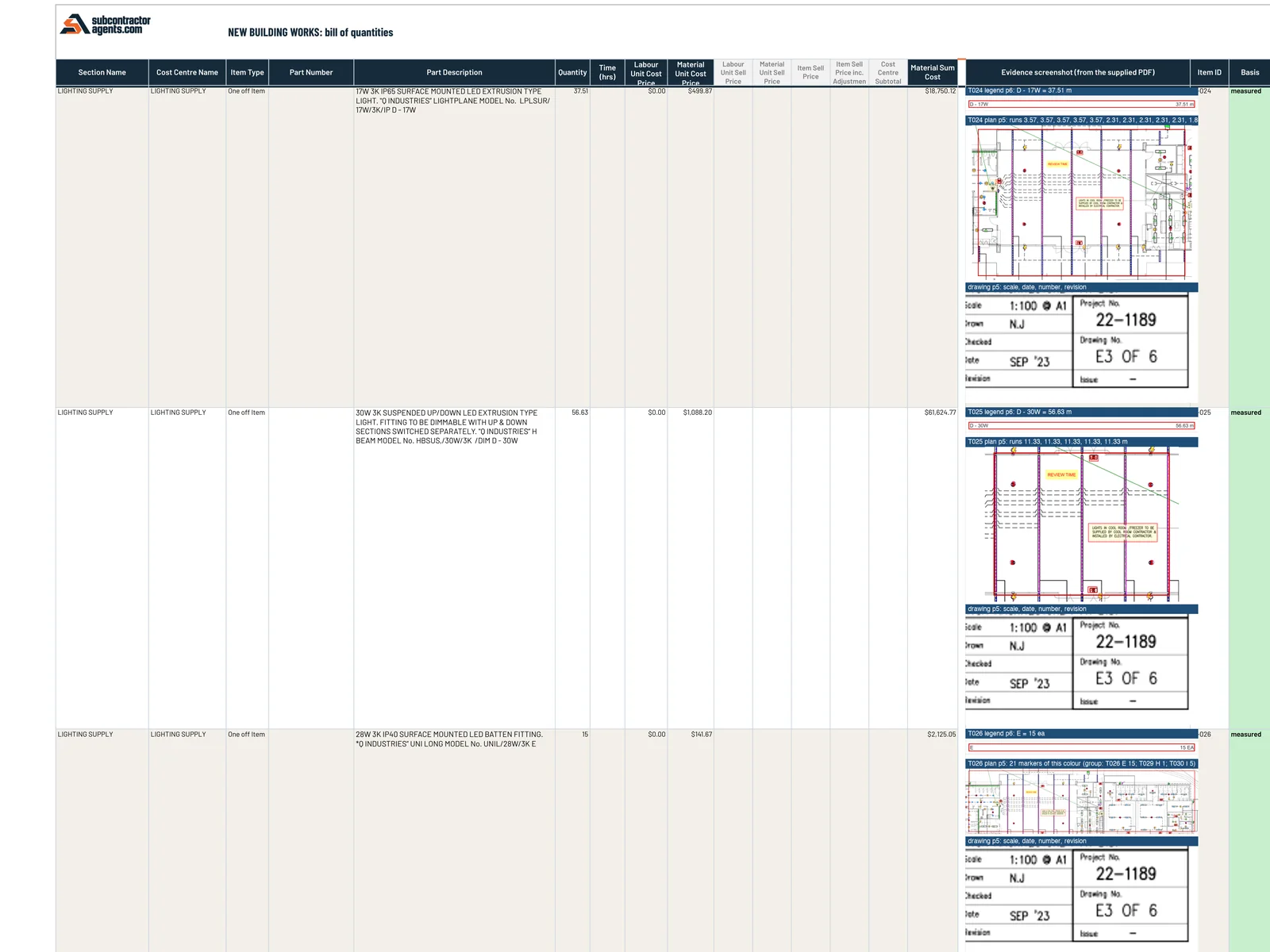
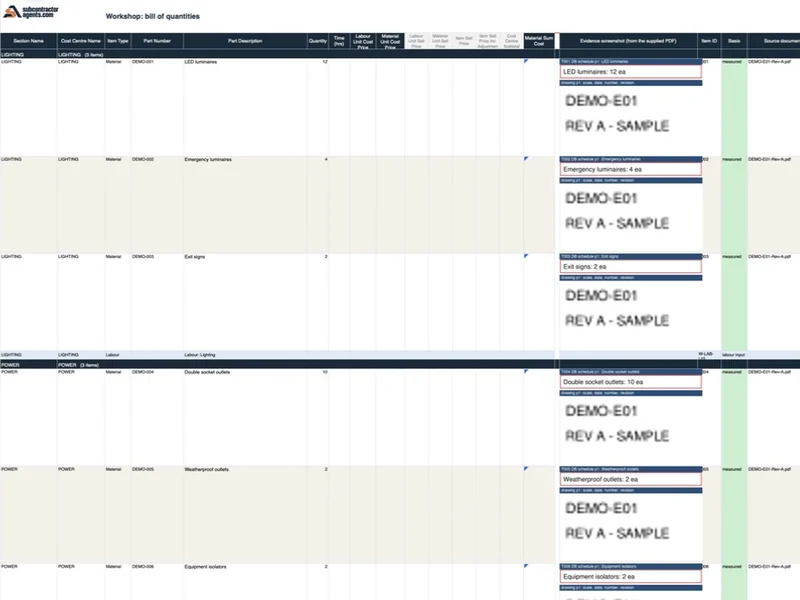
Registers every document and revision, pulls out every “contractor to” note and builds the BOQ in your layout. Each line shows where it came from: a drawing cut-out, the legend line, drawing number and revision. Unclear items are flagged, never guessed.
Your estimator checks instead of redoing: number, picture, number, picture. Changes save as a new revision, marked as theirs. Sign-off locks to that exact BOQ.
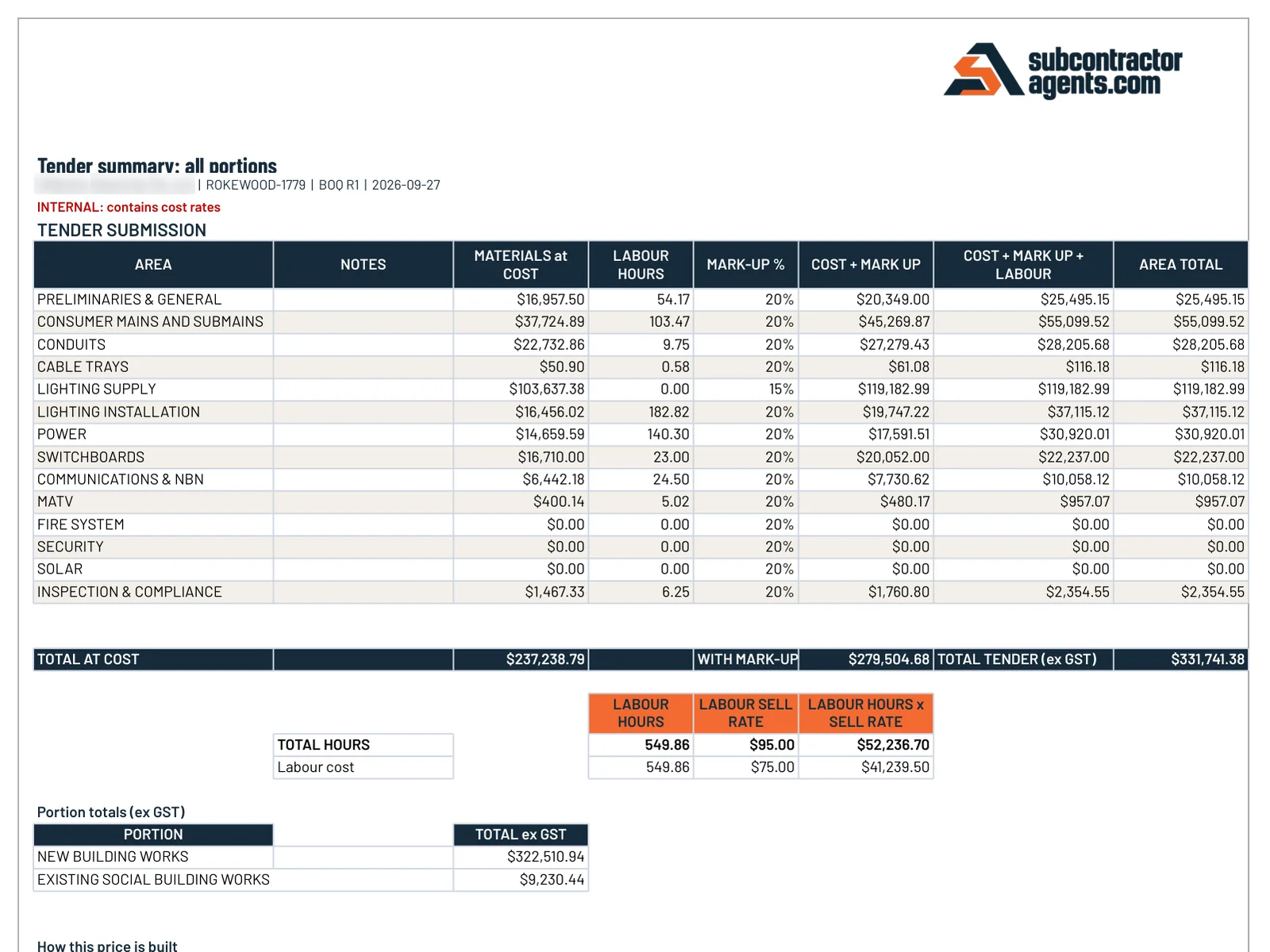
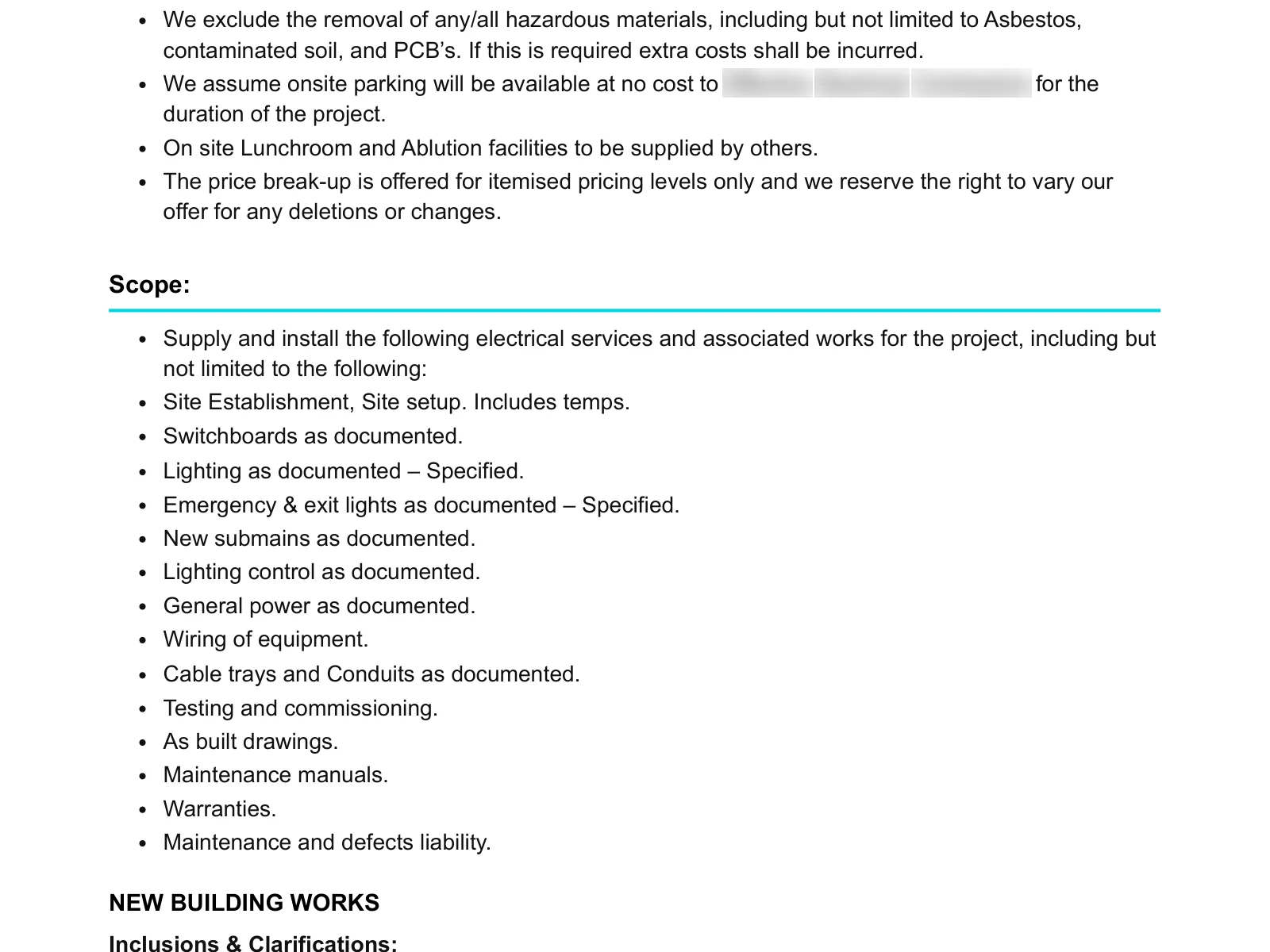
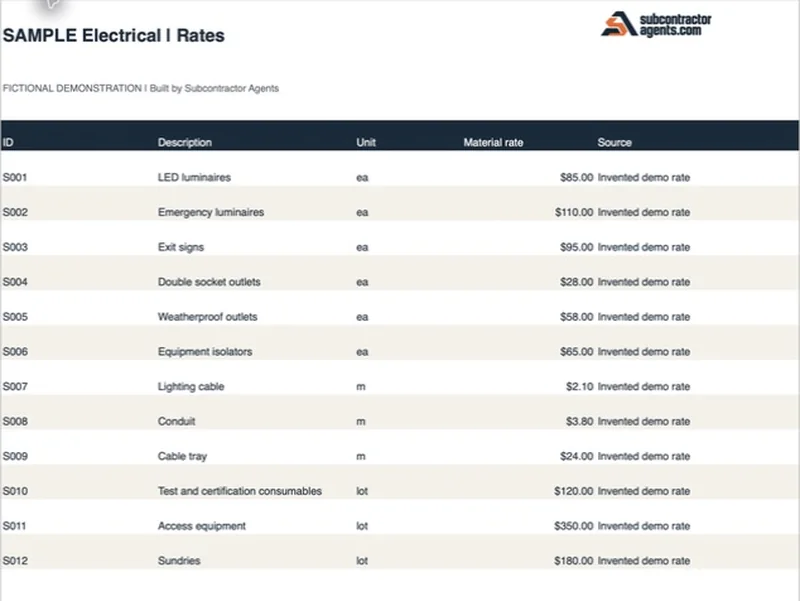
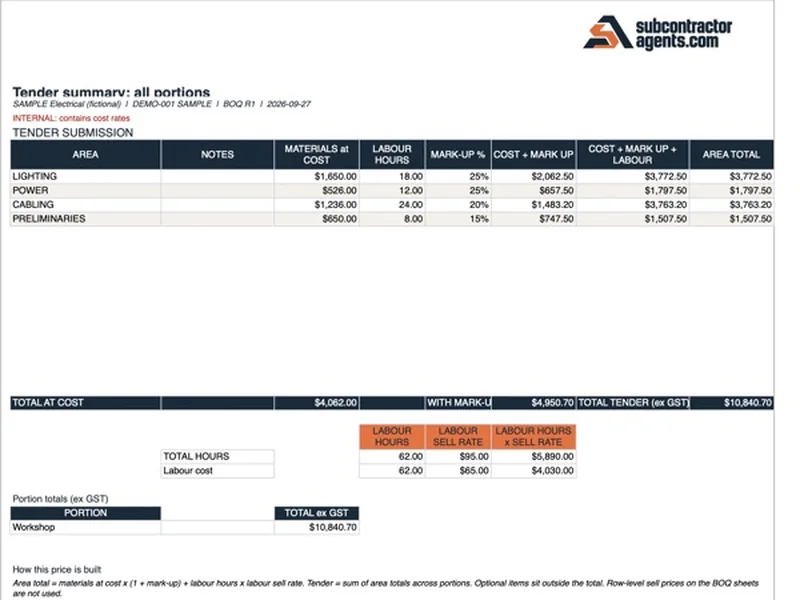
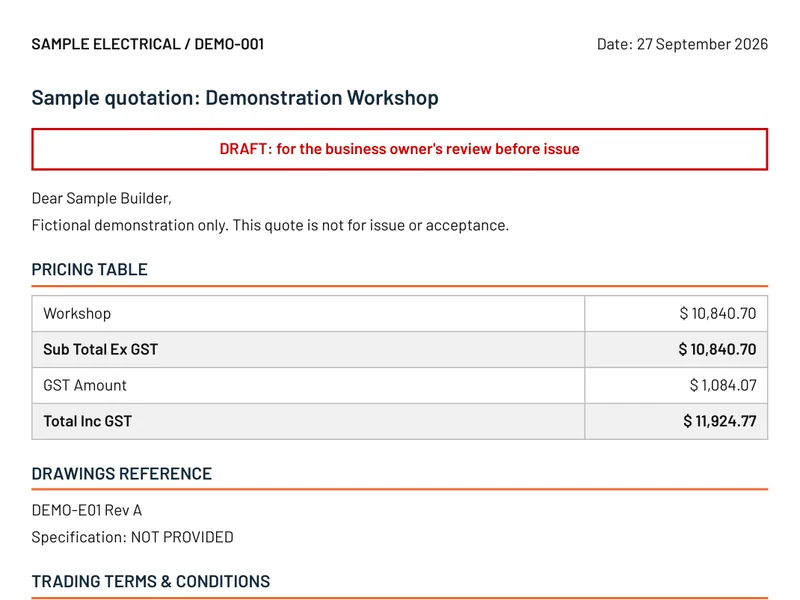
Your rates, each with source and date. Any missing rate is listed for you to fill in. You get an internal pricing workbook and a draft quote on your letterhead, with your costs and markups kept off it.
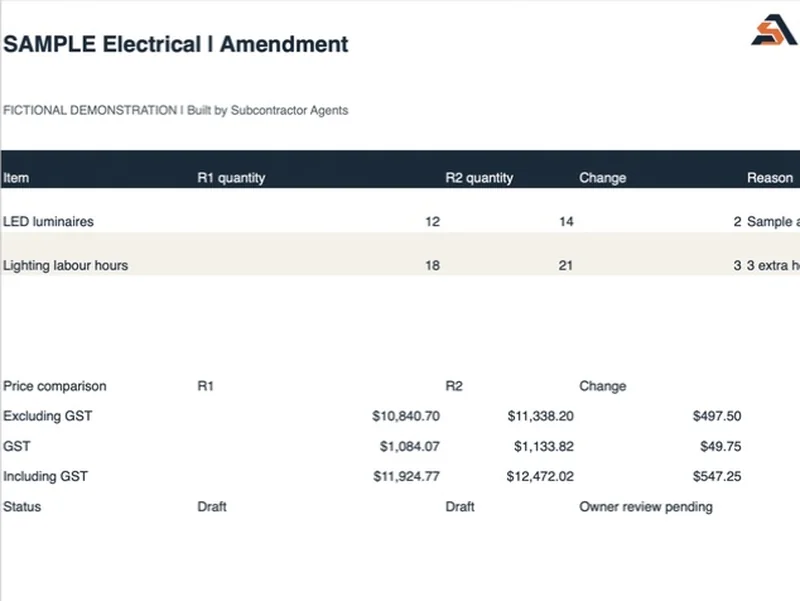
Addendum in. Change schedule out, with before-and-after excerpts and the price difference. Your original stays untouched.
Nothing goes to the builder until you’ve approved it.
PROVEN ON YOUR JOBS FIRST
Keep quoting the way you do now while we build it. Switch over once you’ve seen it match your own jobs.
The target is every row and the price matching to the cent. Where it differs, we show you why and fix the rules, never the answer. And it’s backed by our 14-day money-back guarantee.
FROM A REAL TEST RUN
What lands on your estimator’s desk. The BOQ, pricing and quote are from a real electrical tender, with the business name blurred.
WHY IT’S DIFFERENT
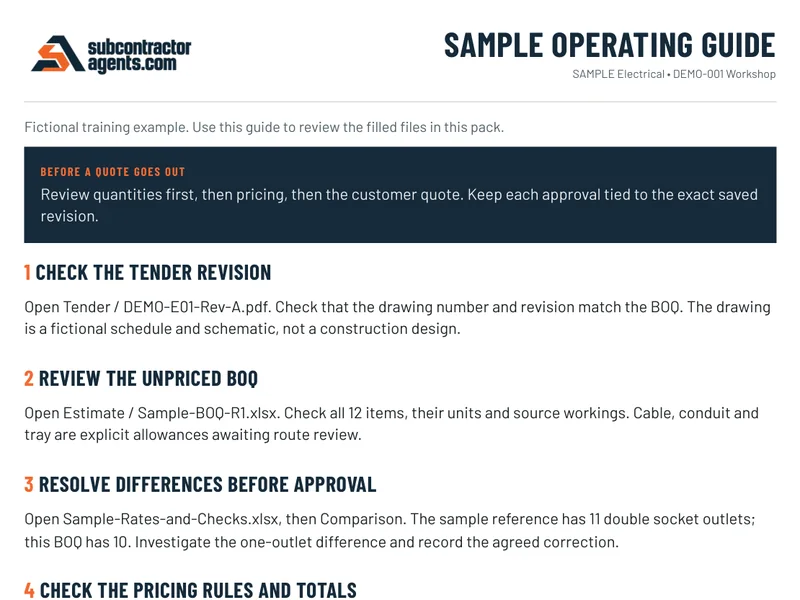
AI is already fast. You need a number you can trace back to the drawings and put your name on.
WHAT YOU GET
A$6,000 fixed fee
Book a workflow callRESULTS
From pilot and custom-workflow clients in HVAC, electrical and solar.
“The BOQ draft with workings attached is the standout. I can see where each quantity came from instead of guessing what the spreadsheet did.”
“It prices from OUR confirmed rates. If a supplier price is missing it says so and waits for me. That honesty is why I keep using it.”
“The customer quote keeps our terms and hides our internal margins. That's the detail everyone forgets until they send the wrong spreadsheet to a client.”
“The thing that surprised me was the exclusions list. It flagged items I'd normally have to remember from experience — saves me from myself.”
“Traced a random quantity back to the drawing sheet and revision in about ten seconds. That traceability is why I trust the rest of it.”
“We were skeptical about AI pricing but it used our rate book, not made-up numbers. The review step is built in, which is what sold us.”
“Ran our first one on a job we'd already priced manually as a test. It landed within a few percent of my number, and the differences were easy to see because the workings are shown.”
“Labour allowances were my worry — a plausible number can still lose you money. Our confirmed allowances get applied the same way every time now.”
“My favourite part is the open questions list. Anything unclear goes on it for the builder instead of me guessing. Builders actually respond well to being asked.”
“Amendments used to mean re-doing half the estimate. Now I drop the revised docs into the same chat and it shows me what changed and re-prices it.”
“Went in expecting a novelty. First commercial tender pack we ran came back with a BOQ I could actually defend line by line to the builder.”
“We didn't even have a proper estimating spreadsheet when we started. It built our BOQ structure and pricing workbook from scratch in setup.”
STRAIGHT ANSWERS
Straight answers from people who build these for trade businesses. If yours isn’t here, bring it to the call.
Book a workflow callCan I trust it?
Every line shows its drawing, page and revision, and is tagged measured, calculated, allowance (with its rule) or flagged. Your estimator signs off the BOQ before anything is priced, and nothing goes out until you approve it.
Fair enough. Estimating isn’t one task, so one prompt was never going to do it. This runs the 15 stages a good estimator works through, and it’s proven on your completed jobs first.
Then we find out why before you rely on it. We show you every difference and fix the rules, never the answer. You keep quoting the way you do now until it matches.
Your files stay yours, kept in your own private setup and never used in anyone else’s plugin. It runs in your own business Claude or ChatGPT account, and on a business plan your data isn’t used to train their models by default. We sign an NDA first.
What about my team?
No. It takes the redoing and the typing off them. They check the numbers, make the calls and approve the price.
You don’t need anyone technical, just someone who knows how you price a job. They send us the files, answer our questions and check the first job with us line by line. We do the rest.
It won’t. Your team gets a walkthrough, a recording and a step-by-step guide, and anyone technical sees how it works under the hood. No key-person risk on us.
What if things change?
Change them. Your rates, rules, templates and workflow are 100% editable, so it changes as your business does.
Yes, if there is useful ongoing work. First, we deliver your paid estimating setup. Then we can agree monthly priorities and a set number of Mac’s implementation hours at A$150 an hour. Dashboards, integrations and routine support can use those hours. Any ongoing work needs its own proposal and agreement.
Cost and next steps
A$6,000 fixed for the agreed estimating setup. We configure it around your process and test it on your completed jobs. Your Claude or ChatGPT subscription is paid separately.
A business plan on either, so your files stay in your company’s own account. You pay them directly, not us. We’ll confirm the right plan for your team on the call.
The 14 days start once we have your files: three quoted jobs (tender documents, your BOQ and the quote you sent), your pricing sheet and your quote template. If your plugin isn’t set up and in your hands within 14 days, you get your money back. Every cent.
30 minutes, online. Bring a recent tender and the decision maker. If it’s a fit, you can lock in your start date on the call.
Commercial subcontractors who quote from drawings. So far that’s HVAC, electrical and solar businesses. Another trade? Tell us when you book and we’ll come prepared.
Proven on three of your own jobs before you rely on it. Book a 30-minute call and bring a recent tender.