
Quoting
How to Quote Faster Without Cutting Corners: A Subcontractor's Checklist

Ask a commercial subcontractor why quoting takes so long and the answer is rarely one big job. It’s a string of small ones. Sorting the tender pack. Working out which revision is current. Counting every fitting and measuring every run. Typing the numbers into the BOQ template, then into the pricing sheet, then into the letter. Chasing supplier prices. Often at the kitchen table, after a full day on site, for a job you might not win.
When a deadline is close, the temptation is to rush the checks. That’s the wrong place to save time. Miss one line in the takeoff and it’s your margin. The time you can safely cut is the typing and the redoing.
Where does the time go on a commercial quote?
Most of it goes on moving the same information from one place to another, and on doing work again when something changes:
- Sorting the pack. Drawings, specs, schedules, an addendum or two. Before anything else, someone works out which revision is current.
- The takeoff. Hours on the plans, counting and measuring.
- Typing it up. Every number into the spreadsheet by hand, then copied into pricing.
- Pricing. Looking up your rates, chasing supplier prices, working out the labour, line after line.
- The letter. Scope, exclusions and totals typed out again for the builder.
- The addendum. New drawings land and you’re back at the takeoff.
A contractor told us the BOQ spreadsheet itself works fine. The hard part is reading layered drawings and working out where the scope stops. That’s the part that needs a person’s attention, and it’s the part that gets squeezed when the rest takes too long.
What should a faster quoting checklist include?
Here’s the checklist we build around. Each step keeps its check. What changes is how much typing and redoing sits around it.
| Step | The corner that gets cut in a rush | The faster way that keeps the check |
|---|---|---|
| 1. Register the tender pack | Pricing off an old revision | List every document with its drawing number and revision before any counting starts |
| 2. Read the scope notes | Missing a “contractor to” note buried in the general notes | Pull every “contractor to” note into one list to check against your scope |
| 3. Do the takeoff once | Counting in a hurry, then counting again to be sure | Put the drawing reference beside every BOQ line, so a check is a look, not a recount |
| 4. Flag what isn’t clear | Guessing a quantity to keep moving | Flag it as an open question and keep going |
| 5. Sign off the BOQ | Skipping the review because the deadline is close | Check number against picture, line by line, before anything is priced |
| 6. Price from your own rates | Using a price that “looks about right” | Price from a rate register where every rate has a source and a date; list any missing rate |
| 7. Write the quote from your template | Retyping scope and exclusions from memory | Start from your own quote template, with your wording, and keep costs and mark-ups off the customer copy |
| 8. Approve before it goes | Sending without a final read | Nothing goes to the builder until you’ve approved it |
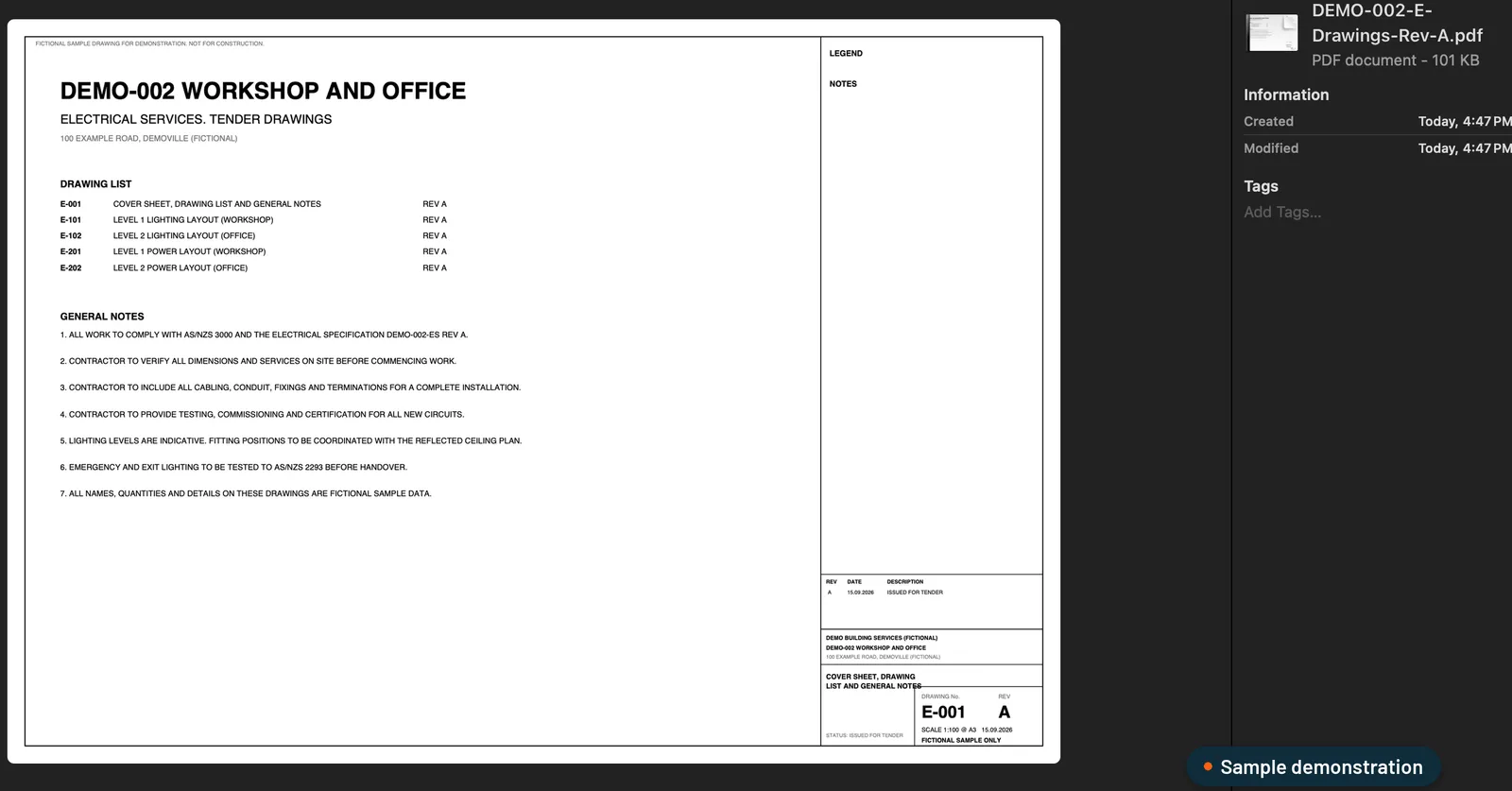 Sample data. The drawing list and general notes on a tender cover sheet: check the revisions and the “contractor to” notes before any counting starts.
Why do rushed quotes cost more than slow ones?
Because a quoting mistake doesn’t show up until you’ve won the job. A missed line, a rate that isn’t what you actually pay, or an exclusion that didn’t make it into the letter all come out of your margin later.
Rates are a common one. A contractor told us online prices aren’t what they actually pay their suppliers. A price that looks plausible isn’t the same as your price, so a fast quote built on guessed rates isn’t fast at all.
That’s why the checklist keeps the checks and removes the retyping. Every time a number is typed again, it’s another chance to drop a digit.
How do we make each step faster?
We build a custom estimating plugin for your own Claude or ChatGPT business account. It runs the 15 stages a good estimator works through, from tender pack to quote, set up around your trade, your BOQ layout, your pricing and your quote template. The checklist above maps onto it in four stages:
- Measure. It registers every document and revision, pulls out every “contractor to” note and builds the BOQ in your layout. Each line shows where it came from: a drawing cut-out, the legend line, drawing number and revision. Unclear items are flagged, never guessed.
- Approve. Your estimator checks instead of redoing: number, picture, number, picture. Changes save as a new revision, marked as theirs, and sign-off locks to that exact BOQ.
- Price. Your rates, each with its source and date. Any missing rate is listed for you to fill in. You get an internal pricing workbook and a separate draft quote on your letterhead, with your costs and mark-ups kept off it.
- Addenda. When an addendum lands, you get a change schedule with before-and-after excerpts and the price difference. Your original stays untouched.
We covered where the retyping happens in more detail in still typing quotes out by hand, and why a single prompt can’t do this in can ChatGPT or Claude do construction estimating?
Where do you still come in?
At every check that needs judgement:
- Your estimator signs off the BOQ before anything is priced.
- You fill in any missing rate and approve the price.
- You approve the quote. Nothing goes to the builder until you have.
It doesn’t replace your estimator. It takes the redoing and the typing off them, so their time goes on checking the numbers and making the calls.
How do you know it’s right before you rely on it?
We prove it on your completed jobs first, side by side with your own numbers. If they don’t match, we find out why, show you every difference and fix the rules, never the answer. You keep quoting the way you do now until it matches.
Is it worth a look?
If you quote commercial work from drawings, so far HVAC, electrical or solar, and quoting is eating your days, yes. We build it from three of your quoted jobs, your pricing sheet and your quote template, and it’s live in 14 days. It’s A$6,000, one fixed fee.
See how our estimating plugin works, and bring a recent tender to the call.
Frequently asked questions
What's the quickest way to speed up quoting without more mistakes?
Stop doing the same work twice. Take each quantity off the drawings once, with the drawing, page and revision beside it, and carry it into pricing and the quote letter instead of retyping it. Keep the checks: the BOQ sign-off, the price approval and the final read of the quote.
Which checks should never be skipped when quoting?
Confirm which revision is current, check the scope notes and exclusions, check every quantity against the drawings, make sure every rate is one you actually pay, and read the quote before it goes to the builder.
Can AI speed up quoting without guessing?
Yes, if it's set up with rules and checks. The estimating plugin we build flags anything it can't read instead of guessing, prices only from your own rates, lists any missing rate for you to fill in, and waits for your estimator to sign off the BOQ.
Will a faster process still use our rates and quote template?
Yes. We build it from three of your quoted jobs, your pricing sheet and your quote template. Your rates, rules, templates and workflow stay fully editable.
What does it cost?
A$6,000, one fixed fee. Your Claude or ChatGPT business plan is paid separately, directly to them.
Want this set up on your own jobs?
We build your estimating plugin in your own Claude or ChatGPT account, around your rates and template, and prove it on three of your completed jobs. A$6,000 fixed.
Book a workflow call →Sets up and hands over every estimating plugin with Mac, from the first tender pack to the quote letter.