
Estimating
Can ChatGPT or Claude Do Construction Estimating? What Works and What Doesn't

Almost every subcontractor we talk to has tried it. You drop a drawing into ChatGPT, ask for a takeoff, and get back a confident table of numbers. Then you check a few and they’re wrong.
That doesn’t mean AI can’t estimate. It means estimating was never one prompt. A good estimator works through a sequence of steps, and each one has rules. Give the AI those steps and rules and the result changes completely.
Why does a single prompt get it wrong?
When you paste a drawing and ask for a price, the AI has to guess almost everything that matters:
- Scale. If it reads the scale wrong, every length on the job is wrong, and nothing tells you.
- Scope. It doesn’t know which sections you price and which are by others.
- Allowances. The drawing doesn’t show cable per point, access equipment or testing and commissioning. Your rules do.
- Rates. It will happily fill in a plausible price. It isn’t your price.
- Proof. It gives you a number with no way to check where it came from.
So you end up redoing the takeoff to check it, which is the work you were trying to save.
What actually works?
We set AI estimating up the way a careful estimator already works, as 15 steps in four stages:
- Turning drawings into quantities (steps 1–7). Register every file in the tender pack with its revision. Agree the scope against your usual sections. Set and check the scale on every drawing. Count every fitting and record where on the drawing each count came from. Measure the runs. Add your own allowances from your own rules. Build the BOQ in your own sections and structure.
- You confirm the BOQ (step 8). Every row has a screenshot from the drawing beside it. Anything it couldn’t settle waits on one checkpoint tab instead of being guessed.
- Pricing (steps 9–13). Draft RFQs for your suppliers (you press send). Load your rates and labour hours, where a missing or expired rate is flagged, never filled in. Work out direct costs, apply your mark-ups and GST, then you approve the price.
- Quotes and changes (steps 14–15). One quote letter per builder on your letterhead, each with its own revision. When an addendum lands, only what changed is re-measured and re-priced.
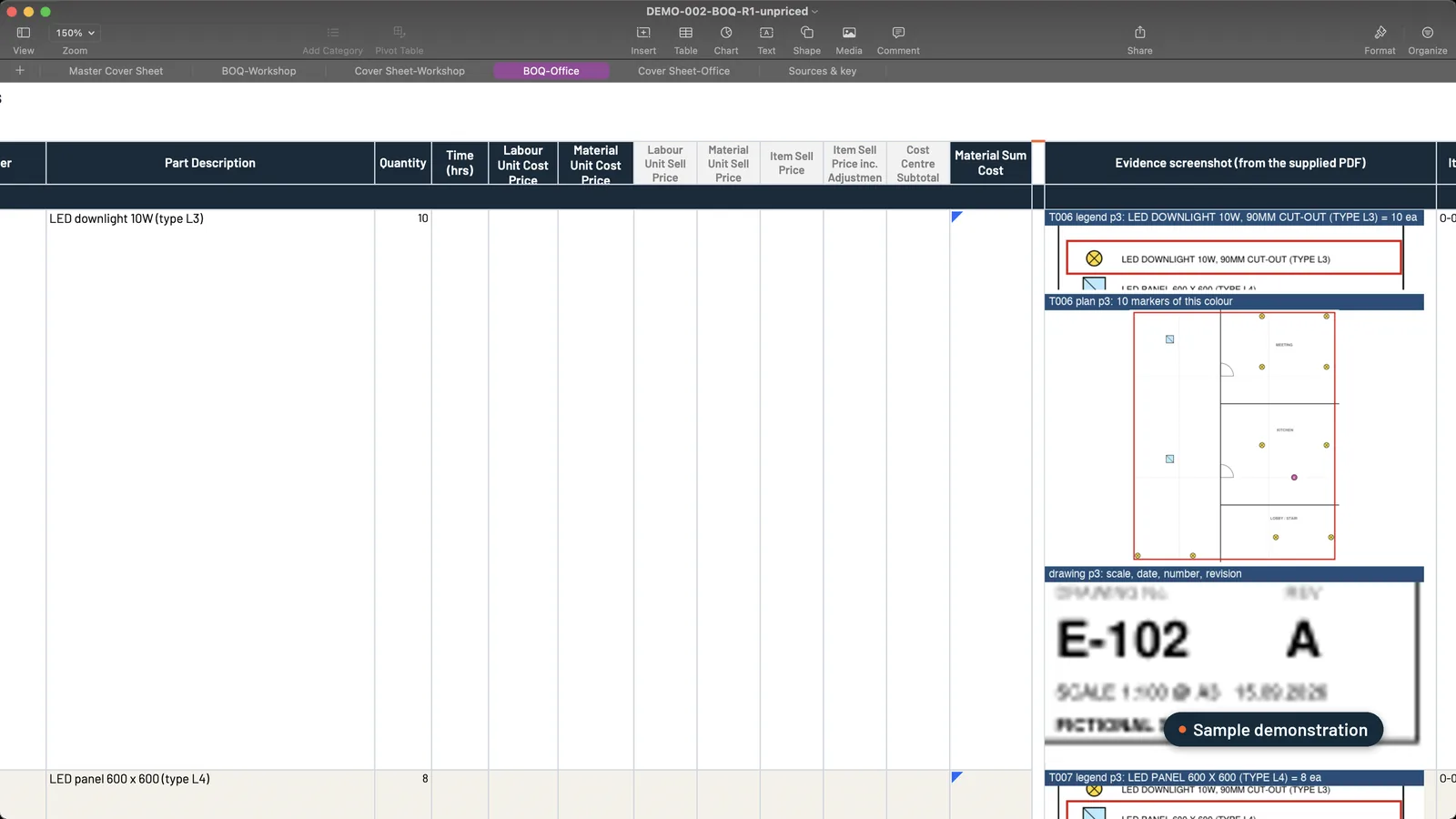 Sample data. The estimator checks each line against the picture beside it: number, picture, number, picture.
Here’s what that looks like in ChatGPT. The estimator runs one command on the tender folder:
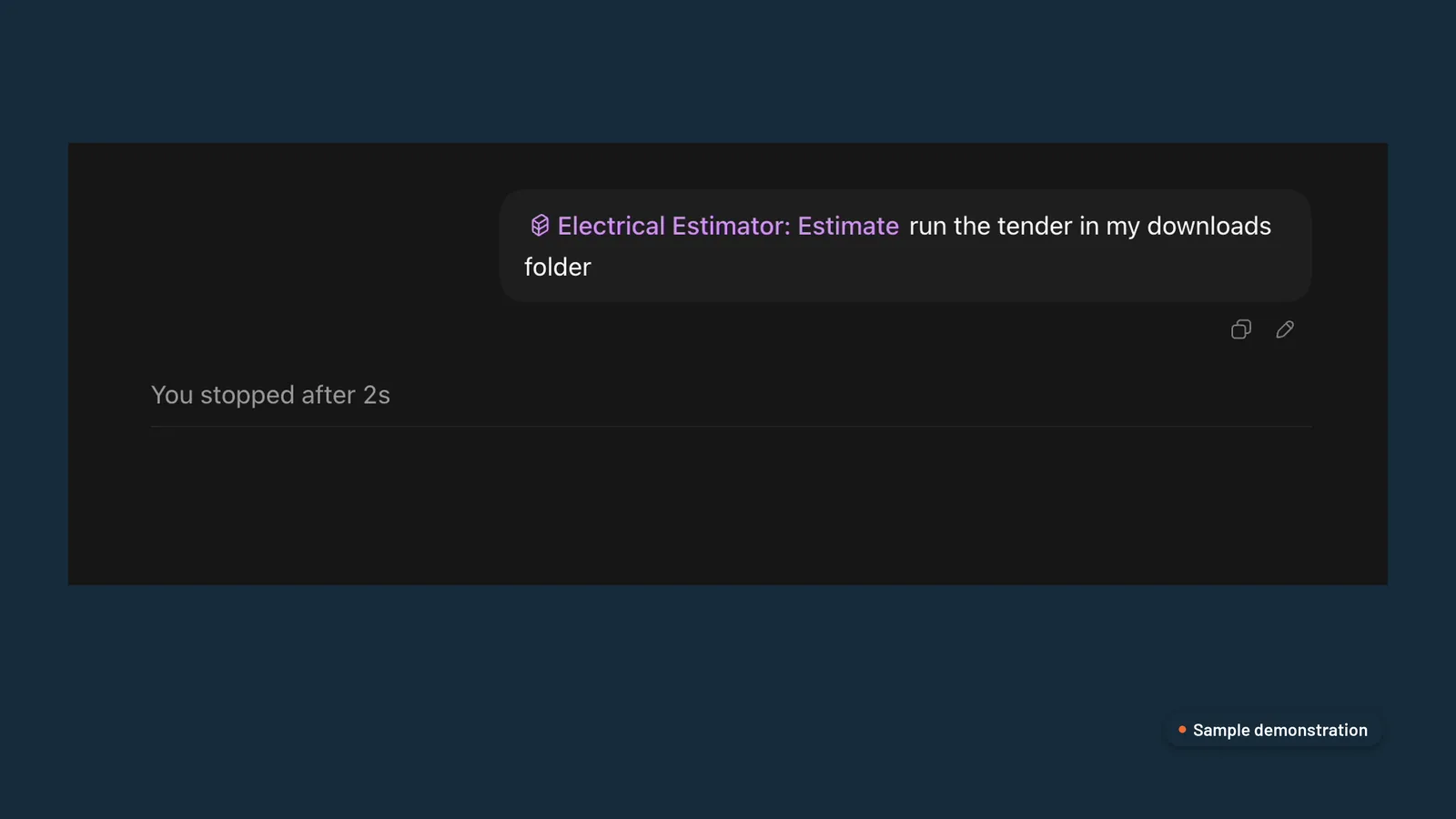 Sample demonstration in ChatGPT.
It checks its own counts as it goes, and says what it still can’t settle:
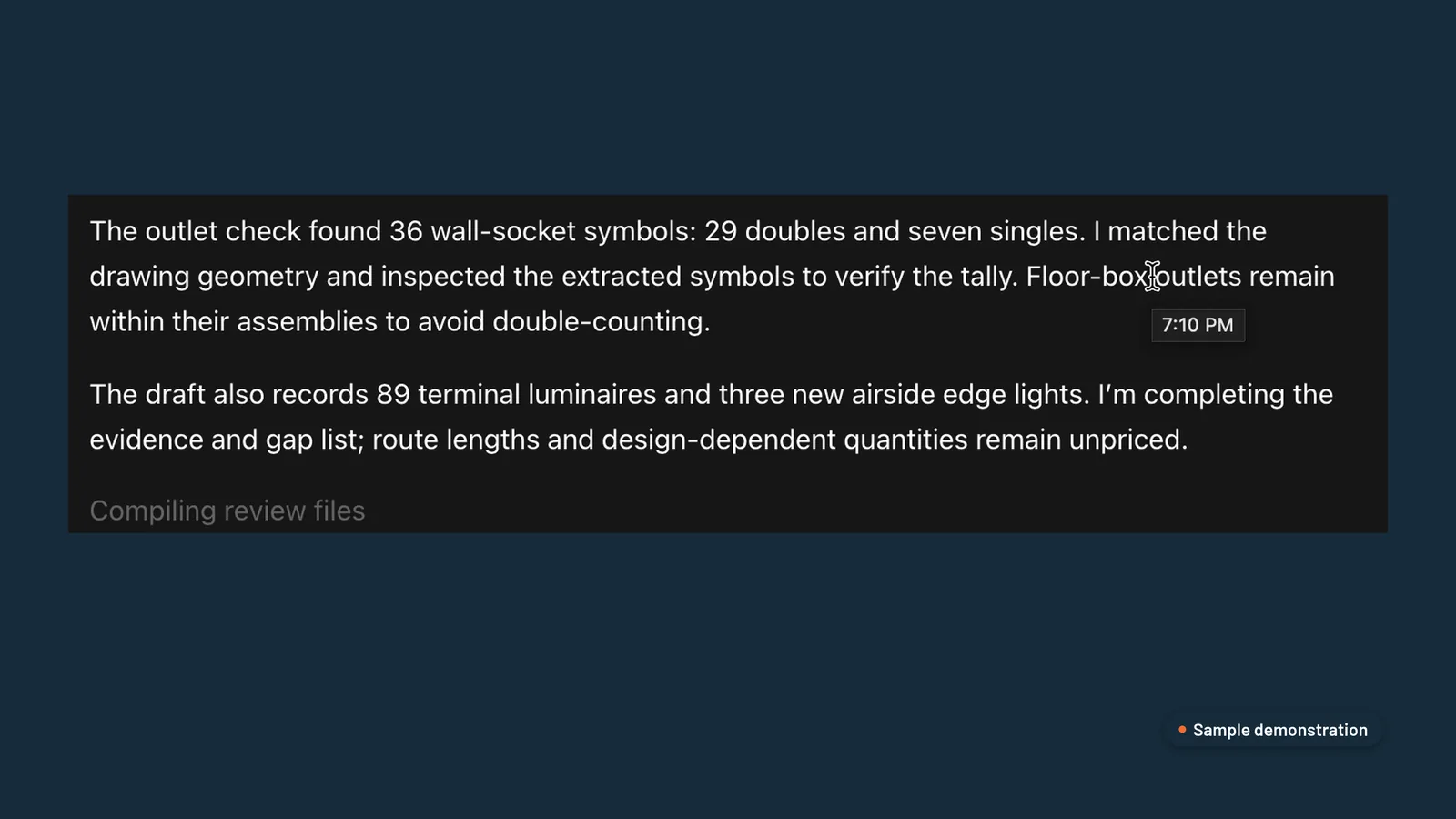 Sample demonstration in ChatGPT. Counts are checked against the drawing, and gaps are listed.
You come in at three points: you confirm the BOQ, you approve the price and you approve each letter. Nothing is sent without you.
What’s the difference in practice?
| One prompt in ChatGPT | Set up as a process | |
|---|---|---|
| Where a quantity came from | Not shown | Drawing, page and revision on every line |
| Scale | Assumed | Checked on every drawing |
| Things it can’t read | Guessed | Flagged on one checkpoint tab |
| Rates | Generic | Your rate register, with source and date |
| Your estimator | Redoes the takeoff | Checks and signs off |
| Addenda | Start again | Change schedule with the price difference |
The row that matters most is the third one. A setup that tells your estimator what it couldn’t settle is one you can trust with the rest.
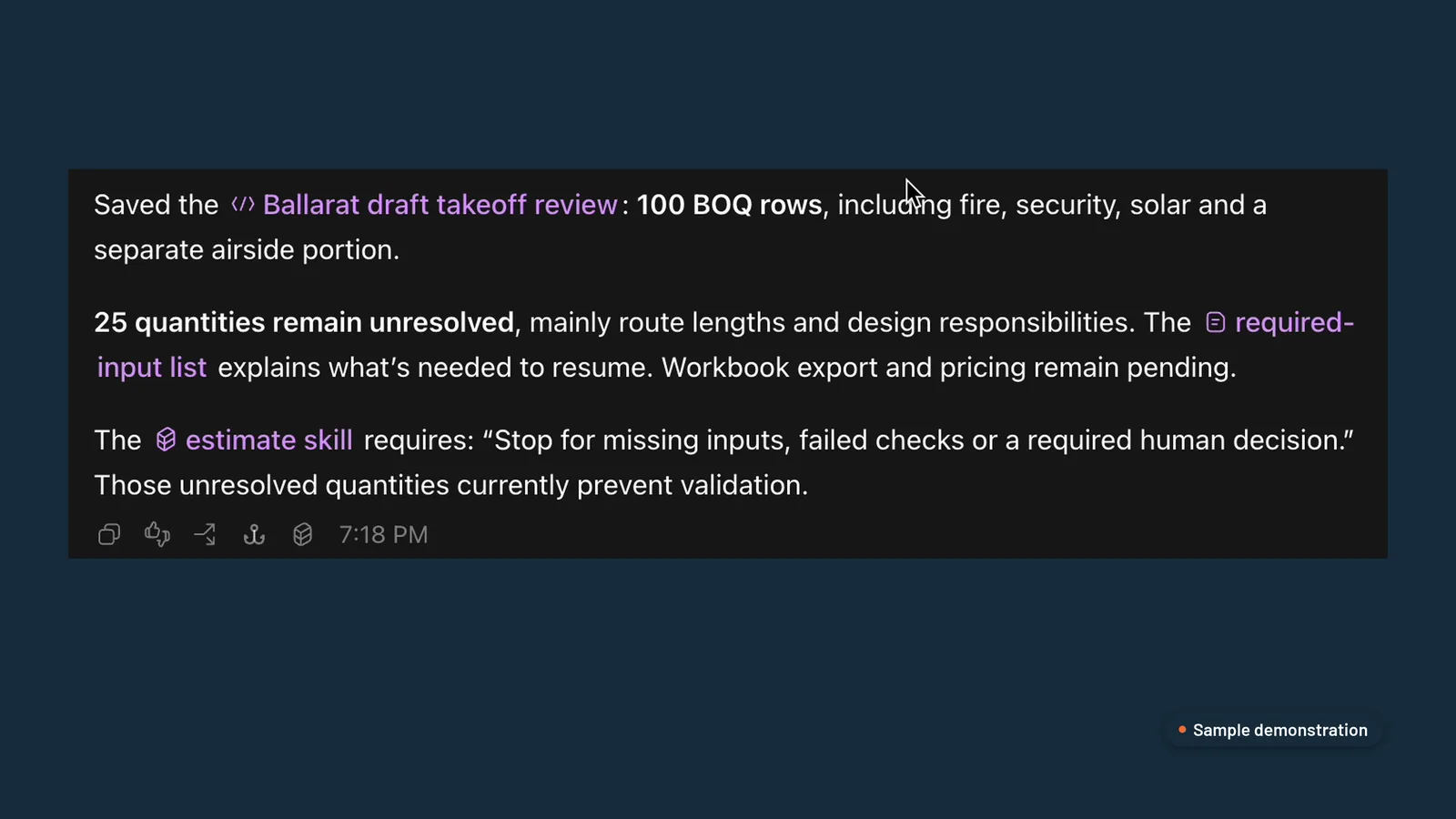 Sample demonstration in ChatGPT. Unresolved quantities stop the job for a person, not a guess.
Where do the prices come from?
Pricing is where generic AI does the most damage. We load your own rate register, where every rate has a source and a date, then your labour hours and your mark-ups.
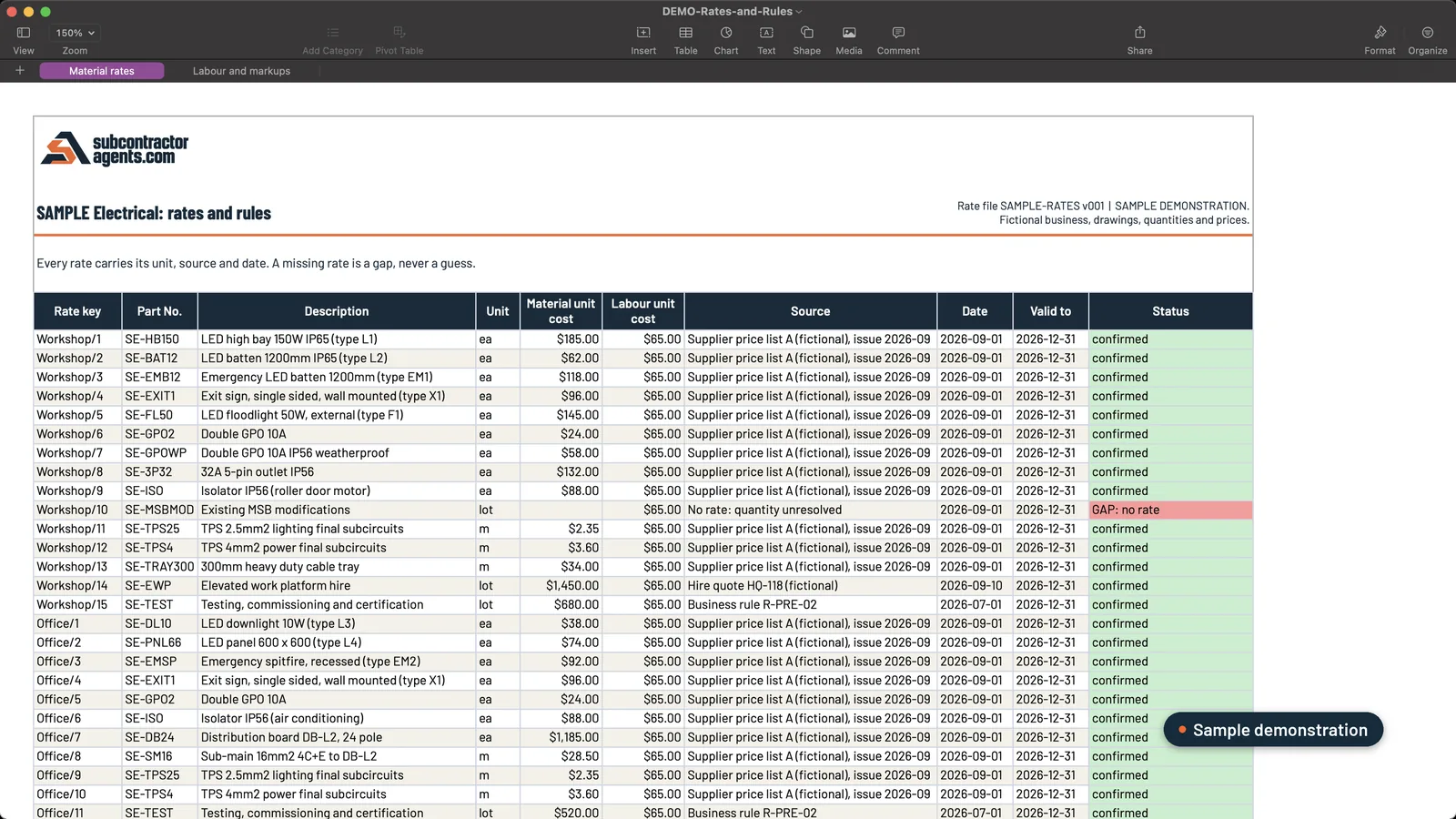 Sample data. Each rate carries its source and date. Missing rates are listed for you to fill in.
The result is an internal pricing workbook with your costs and margins, and a separate draft quote on your letterhead with those kept off it, so nobody types the quote out by hand again.
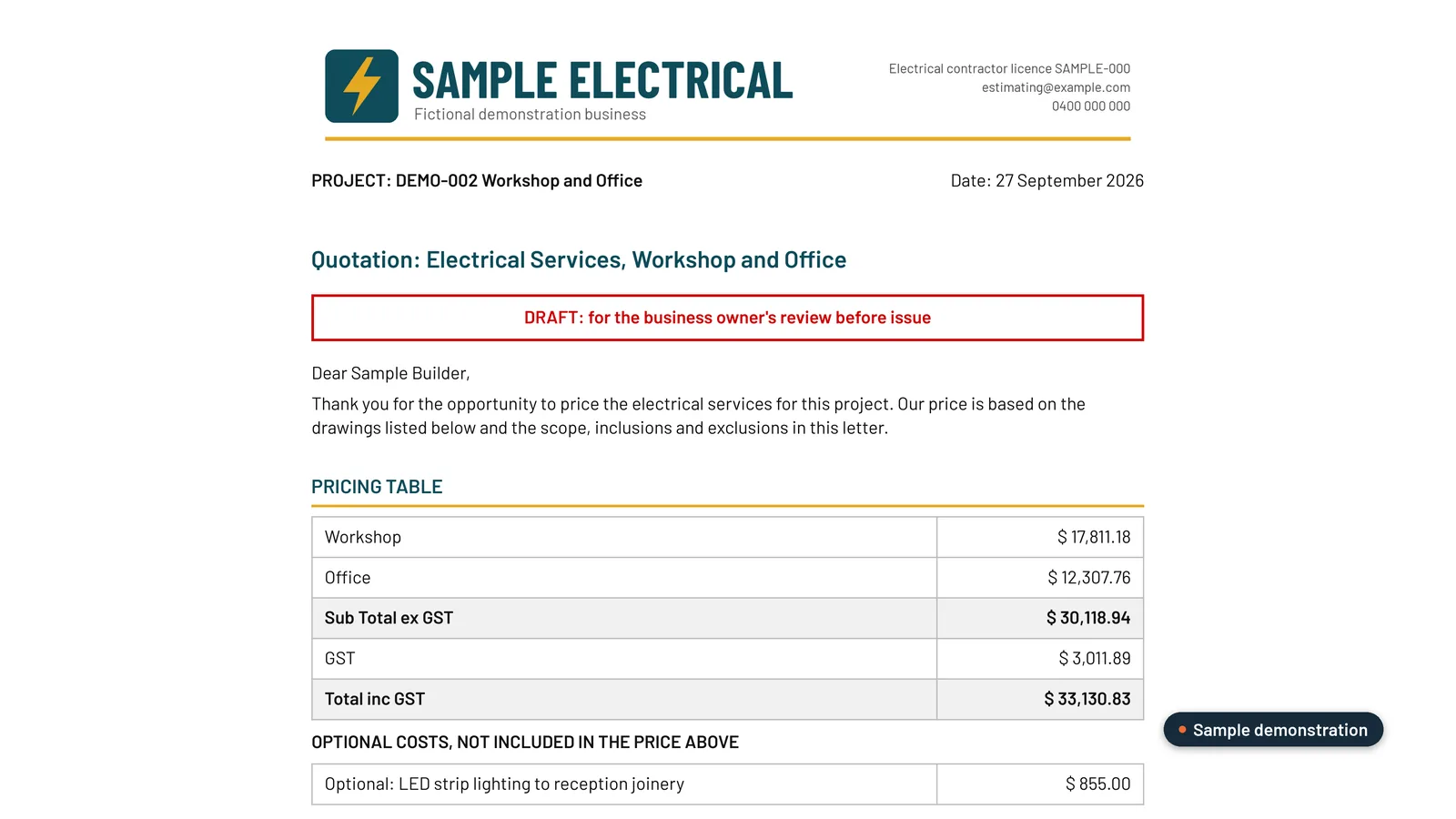 Sample data. The customer copy never shows your internal costs or mark-ups.
Should I use ChatGPT or Claude?
Both can run this process. We build our plugin to work in either, so pick the one your business already uses. What matters more is that it runs in your own business account, so your drawings and rates stay in your workspace.
So, can ChatGPT or Claude do your estimating?
On its own, no, at least not for numbers you’d put your name to. Set up as a process around your rules, your rates and your estimator’s sign-off, yes, and it takes the counting, typing and repricing off your plate. That’s what we build: see how our estimating plugin works.
For what a good setup should do, from your own rates to handling addenda, read the best AI estimating setup for Australian subcontractors.
Frequently asked questions
Can ChatGPT read construction drawings?
It can read text, legends and schedules on a PDF drawing, and it can count symbols. What it can't do reliably on its own is work out the scale, decide what's in your scope, or know what it missed. That needs rules and checks around it.
Is Claude or ChatGPT better for estimating?
Both can run the same process once it's set up properly. We build our estimating plugin to run in either, so the choice usually comes down to which one your business already pays for.
Will AI replace my estimator?
No. It takes the counting, typing and repricing off them. Your estimator still confirms the quantities, makes the calls on scope and approves the price.
Where do my drawings and rates go?
With our setup, they stay in your own business Claude or ChatGPT account and your own storage. On a business plan, your data isn't used to train their models by default.
Want this set up on your own jobs?
We build your estimating plugin in your own Claude or ChatGPT account, around your rates and template, and prove it on three of your completed jobs. A$6,000 fixed.
Book a workflow call →Sets up and hands over every estimating plugin with Mac, from the first tender pack to the quote letter.