
Quoting
simPRO, AroFlo, Procore… and You're Still Typing Quotes Out by Hand

Most of the commercial subcontractors we talk to aren’t short on software. The jobs run in simPRO or AroFlo. The builders send everything through Procore. Invoices go out of Xero, and the crew clocks on in an app.
Then a tender lands, and the quote still gets built by hand. Someone counts every fitting on the plans, types the numbers into an Excel template line by line, copies them into the pricing sheet, chases supplier prices, and finally types up the quote letter. Often at the kitchen table, after a full day on site.
So when people search for “subcontractor quoting software”, the problem usually isn’t a missing app. It’s that the same numbers get typed again at every step before a builder ever sees a price.
Where does the retyping actually happen?
Follow one quantity, say ten downlights, from the drawing to the builder’s inbox:
| The moment | What gets typed by hand | What we set up instead |
|---|---|---|
| Takeoff to BOQ | Counts and lengths, line by line into your Excel template | The BOQ is built in your layout, and every line shows where it came from: a drawing cut-out, the legend line, drawing number and revision |
| BOQ to pricing | The same quantities, copied into the pricing sheet | Your confirmed BOQ is priced from your own rates, each with its source and date, plus your labour and mark-ups |
| Pricing to quote | Scope, exclusions and totals, typed into the letter | A draft quote on your letterhead, with your costs and mark-ups kept off it |
| An addendum lands | Recount, retype, reprice | A change schedule with before-and-after excerpts and the price difference; your original stays untouched |
Every row in the middle column is a chance to drop a digit or miss a line. Miss one and it’s your margin, on a job you might not win.
Why doesn’t the software you already run fix it?
Because the quote isn’t one task. It’s a process: sort the tender pack, work out which revision is current, do the takeoff, build the BOQ, price it, write the letter. In the businesses we talk to, that process still lives in someone’s head and a spreadsheet, whatever software runs the rest of the business.
That’s also why pasting a drawing into ChatGPT doesn’t fix it on its own. We covered that in can ChatGPT or Claude do construction estimating?
How do we stop the retyping?
We build a custom estimating plugin for your own Claude or ChatGPT business account. It runs the 15 stages a good estimator works through, from tender pack to quote, set up around your trade, your BOQ layout, your pricing and your quote template.
The quantities come off the drawings once and are carried through:
- Measure. It registers every document and revision, pulls out every “contractor to” note and builds the BOQ in your layout. Anything unclear is flagged, never guessed.
- Approve. Your estimator checks instead of redoing: number, picture, number, picture. Any change they make saves as a new revision, marked as theirs.
- Price. Your rates, labour and mark-ups, set up as rules. Any missing rate is listed for you to fill in. You get an internal pricing workbook and a separate draft quote.
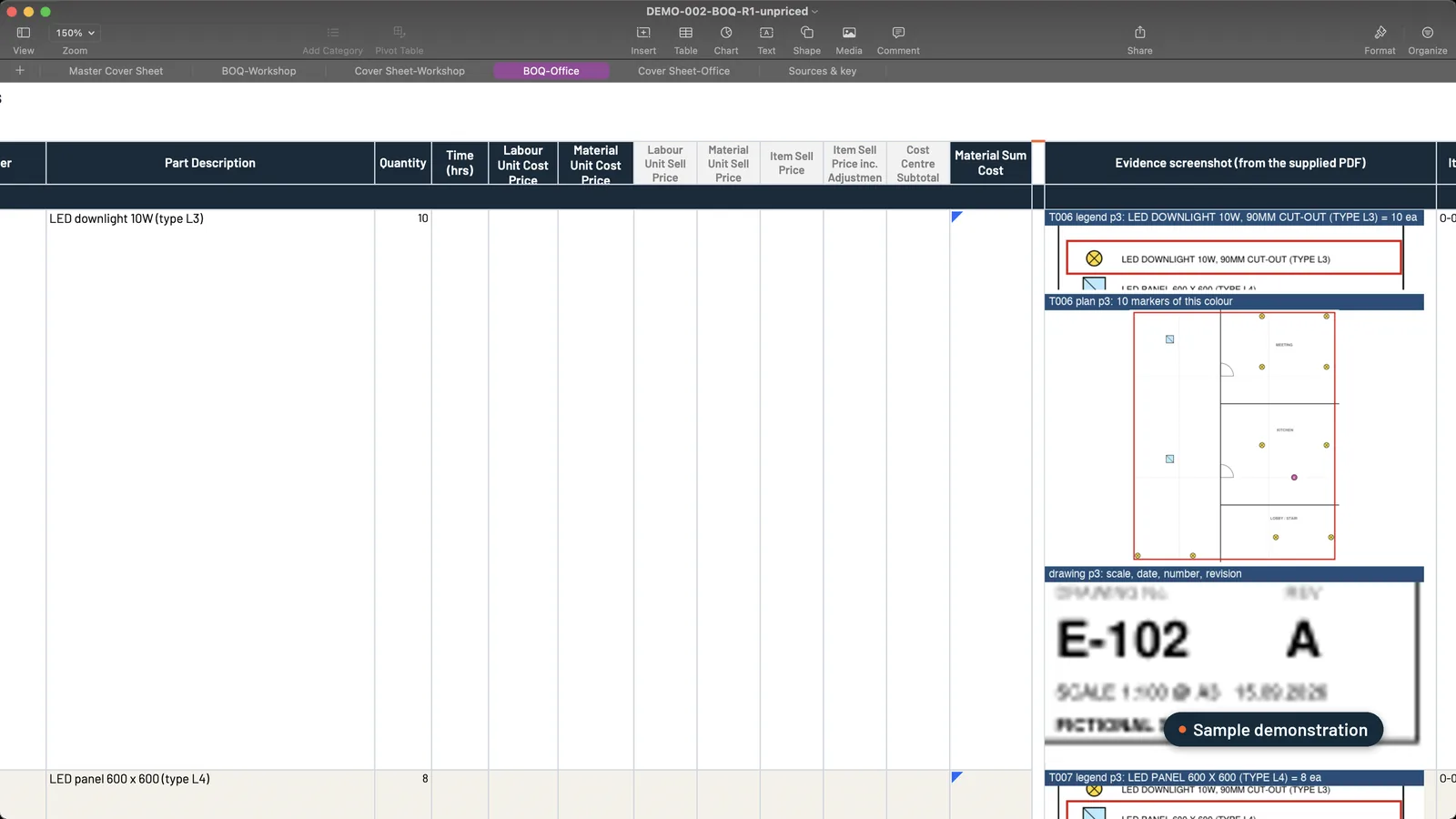 Sample data. The quantity is taken from the drawing once, with the evidence beside it, and carried into pricing from there.
Does the quote still sound like you?
It should, because it’s built from yours. We set the quote template up from the quotes you’ve already sent, so the draft lands on your letterhead with your pricing table and GST.
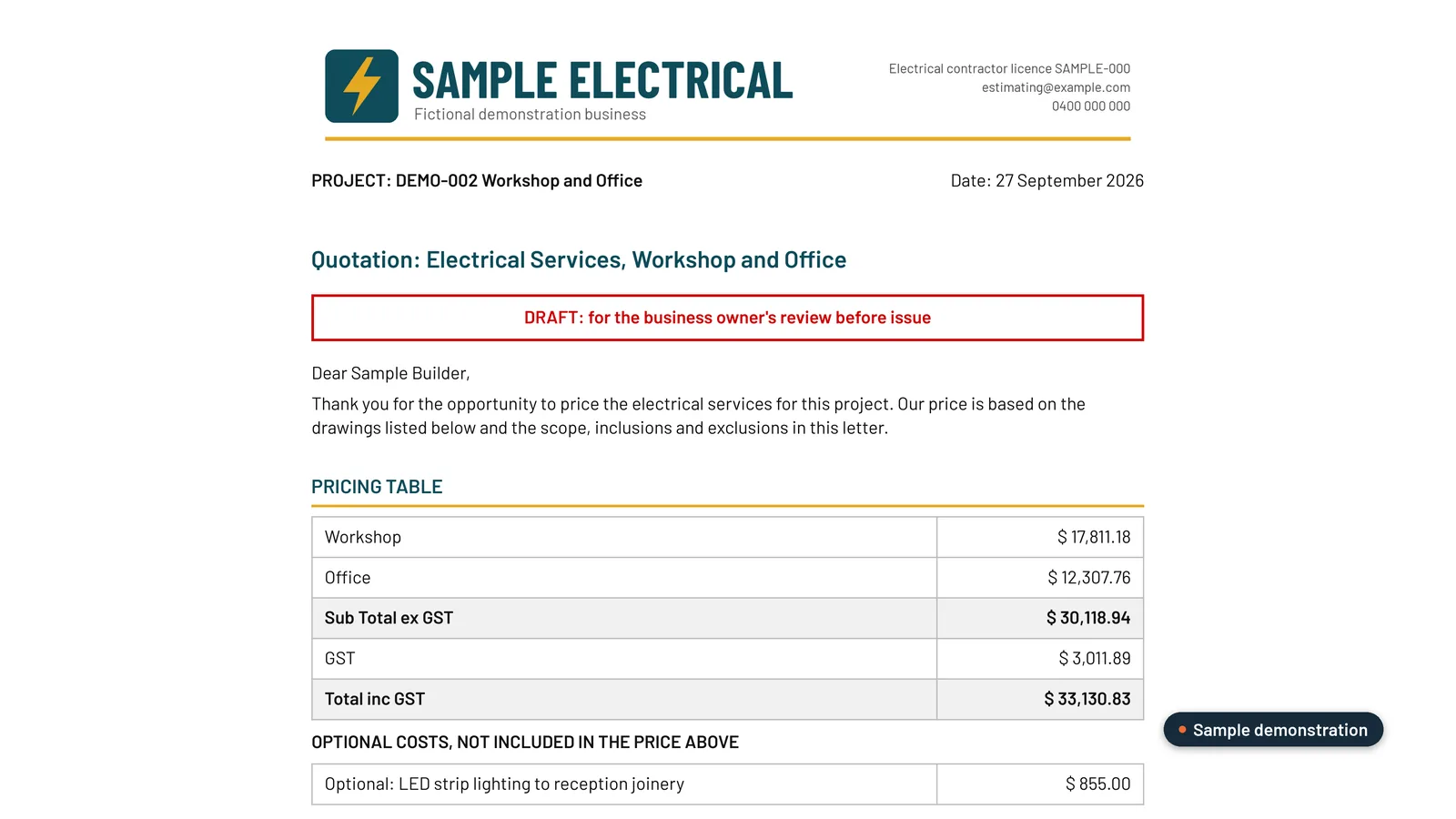 Sample data. Your letterhead and your pricing table, with no internal costs or mark-ups on the customer copy.
The scope and the exclusions come through in your own wording too.
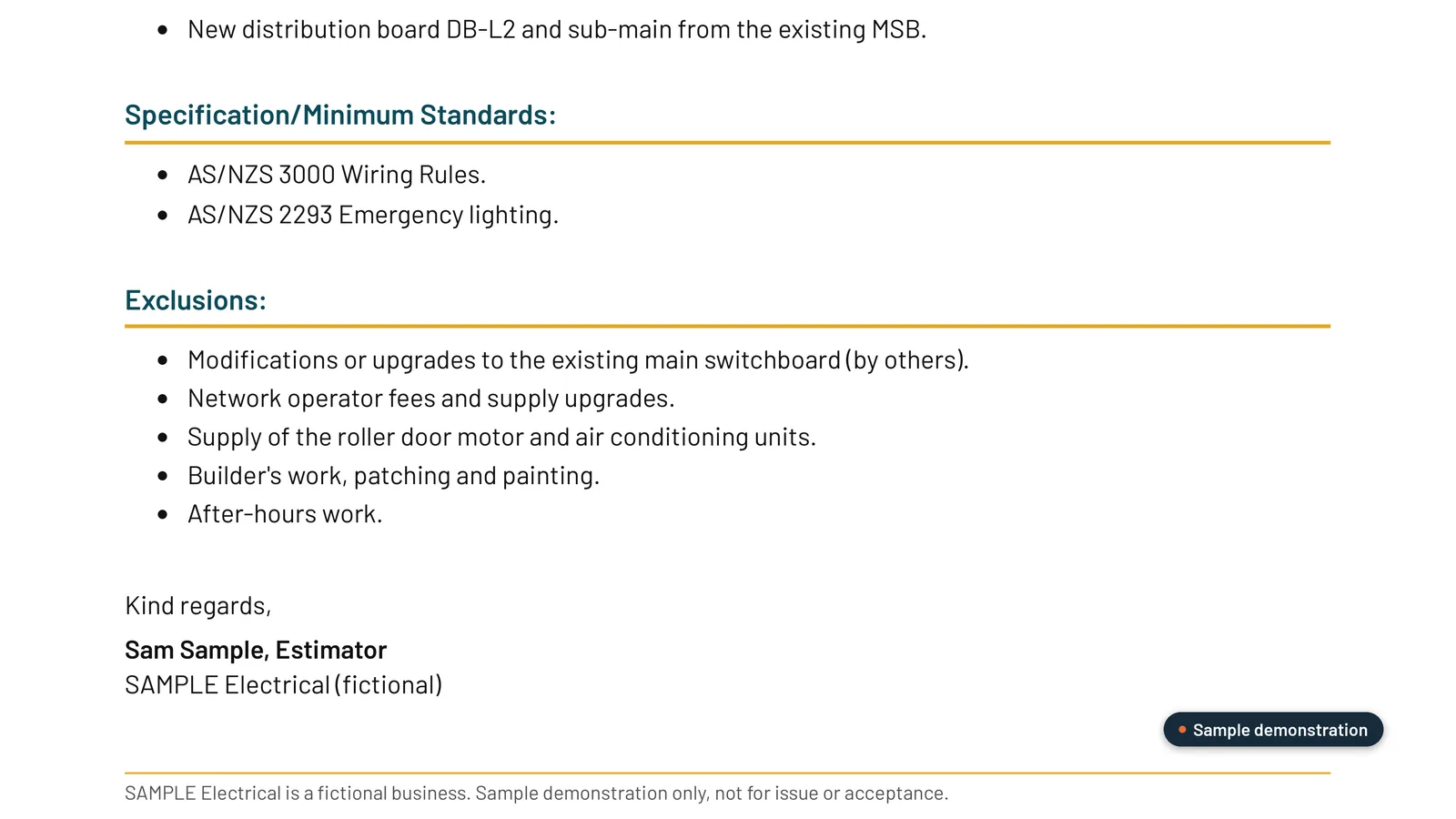 Sample data. Scope, standards and exclusions in the contractor’s own wording, ready for them to check and approve.
Do you have to change the software you already use?
No. We don’t replace simPRO, AroFlo or Procore, and we don’t connect to them. The plugin works on your files where they already live, on your computer or synced from SharePoint, OneDrive, Google Drive or Dropbox. The workbooks open in Excel or Sheets, so your team keeps working the way it does now.
Where do you still come in?
At the points that need a person’s judgement:
- Your estimator signs off the BOQ before anything is priced.
- You fill in any rate that’s missing, and you approve the price.
- You approve the quote. Nothing goes to the builder until you have.
What comes off your plate is the typing: the BOQ, the copy and paste into pricing, and the quote letter.
Is it worth a look?
If you quote commercial work from drawings, so far HVAC, electrical or solar, and your quotes still get typed out by hand, yes. We build it from three of your quoted jobs, your pricing sheet and your quote template, and prove it on your completed jobs before you rely on it. It’s A$6,000, one fixed fee.
See how our estimating plugin works, or read what the best AI estimating setup for Australian subcontractors should do from the tender pack onwards.
Frequently asked questions
Do I need to replace simPRO, AroFlo or Procore?
No. We don't replace them and we don't connect to them. The estimating plugin works on your files where they already live, on your computer or synced from SharePoint, OneDrive, Google Drive or Dropbox, and its workbooks open in Excel or Sheets.
Will the quote still read like ours?
Yes. We build it from your quote template and the quotes you've already sent. The draft goes on your letterhead, with the scope and exclusions in your own wording, and your costs and mark-ups kept off it.
Can a quote go to a builder without me seeing it?
No. Nothing goes to the builder until you've approved it. Your estimator signs off the BOQ before anything is priced, and you approve the price and the quote.
What happens when an addendum lands after we've quoted?
It becomes a change schedule, with before-and-after excerpts from the drawings and the price difference. Your original quote stays untouched.
What does it cost?
A$6,000, one fixed fee. Your Claude or ChatGPT subscription is paid separately, directly to them.
Want this set up on your own jobs?
We build your estimating plugin in your own Claude or ChatGPT account, around your rates and template, and prove it on three of your completed jobs. A$6,000 fixed.
Book a workflow call →Has worked with 80+ subcontractors on estimating, tendering and job reporting.