
Best of
The Best AI Estimating Setup for Subcontractors in Australia (2026)

Here’s how estimating goes in a lot of the commercial trade businesses we talk to.
The tender lands through EstimateOne or a builder’s email. Someone downloads the pack and files it in OneDrive or SharePoint. On a big job the drawings are so dense that the estimator gets them printed at A3 just to read them, then highlights the ductwork or the cable runs and scales everything off by hand. That takes a few days. The drawings go out to suppliers, and then everyone waits for prices. When they come back, the estimator types the quote out, sometimes 15 pages of it. Then an addendum lands and part of it starts again.
Meanwhile the business runs on simPRO or AroFlo, Procore for the builders, Xero for invoicing and a crew app for timesheets. None of those did the takeoff, and none of them typed the quote.
So when people ask us for the “best AI estimating software”, this is the job they mean. Here’s what the best setup for it looks like, and how we build it.
What does the best AI estimating setup do?
1. It prices from your rates, not a price book
Your margin lives in your rates: what you actually pay your suppliers, your labour hours per item, your mark-ups. A generic tool, or a plain chatbot, fills in a plausible number. The best setup loads your own rate register, where every rate has a source and a date, and lists any missing or expired rate for you to fill in instead of guessing.
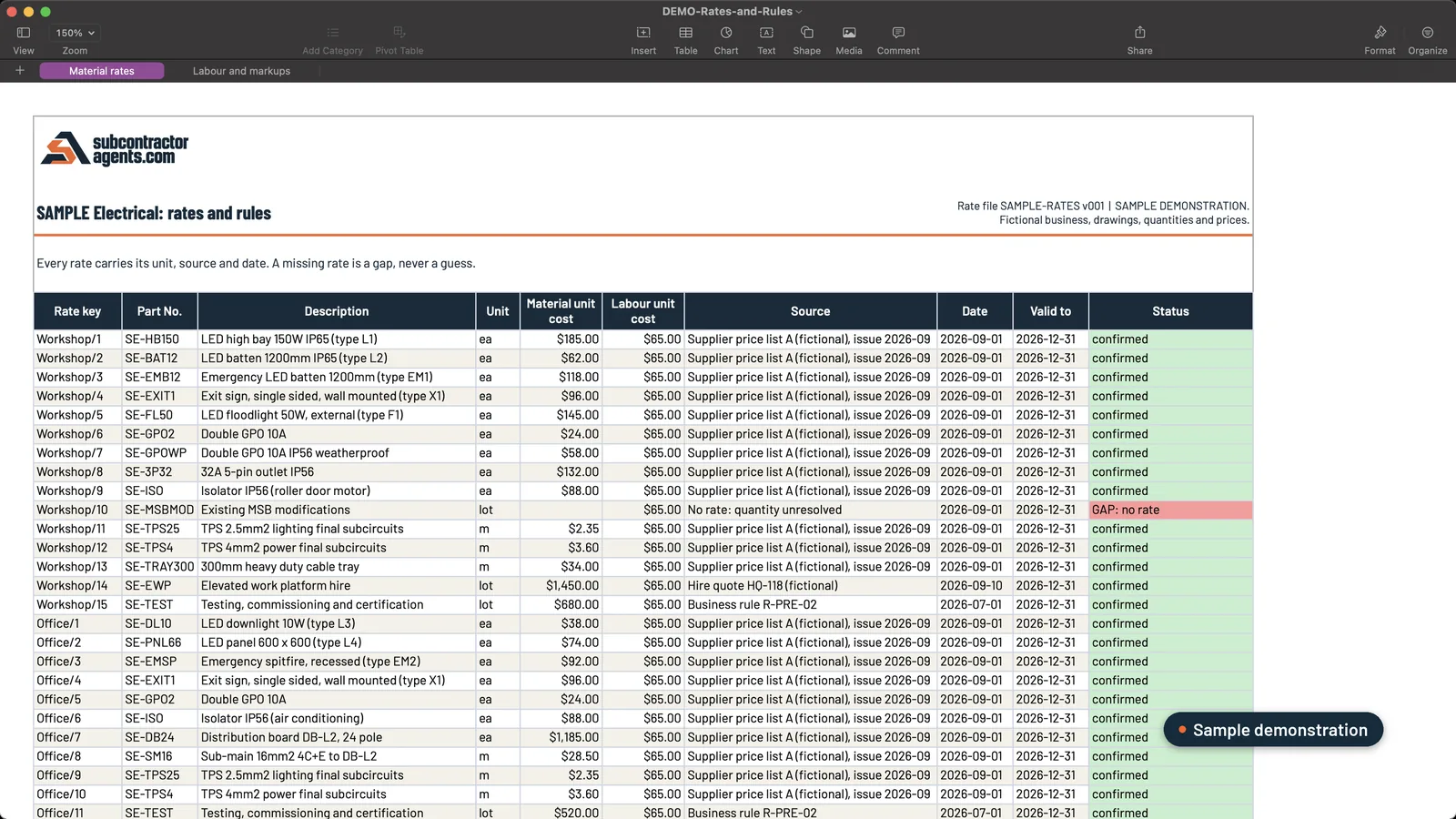 Sample data. Every rate carries its source and date; the one that’s out of date is flagged.
2. It shows where every quantity came from
A number you can’t check is a number you have to redo. The best setup puts a screenshot of the drawing beside every BOQ line, with the drawing number and revision, so your estimator checks instead of recounts: number, picture, number, picture.
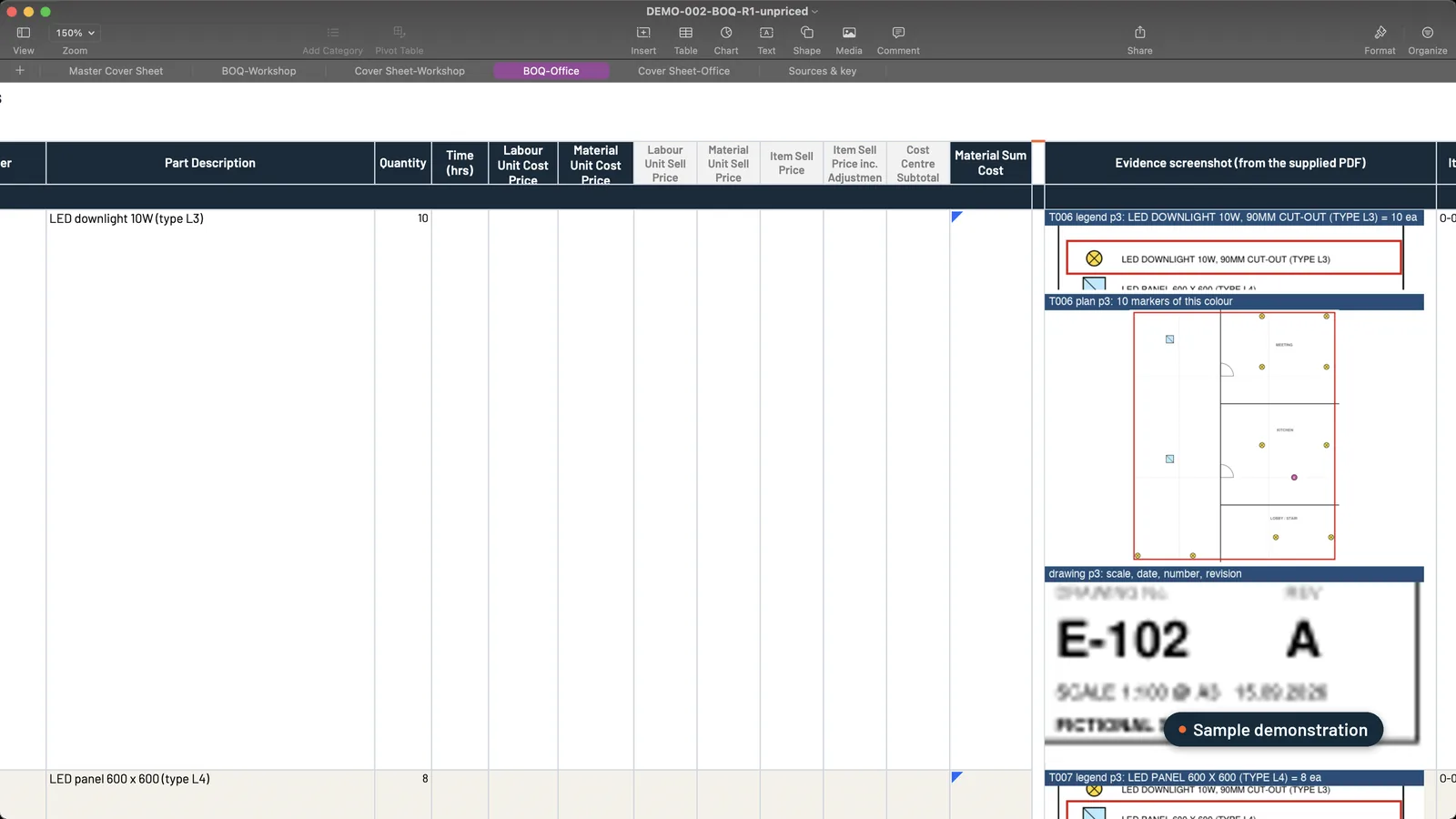 Sample data. Ten downlights: the legend line, the ten markers on the plan, and drawing E-102 revision A, all beside the row.
3. It flags what it can’t read
Anyone who has tried ChatGPT knows it’s a yes-man. It will give you a confident answer whether it’s right or not. The best setup does the opposite. If a length isn’t on the drawings or a symbol is unclear, it goes on one checkpoint list for your estimator. When the scope itself is unclear, it asks one clear question.
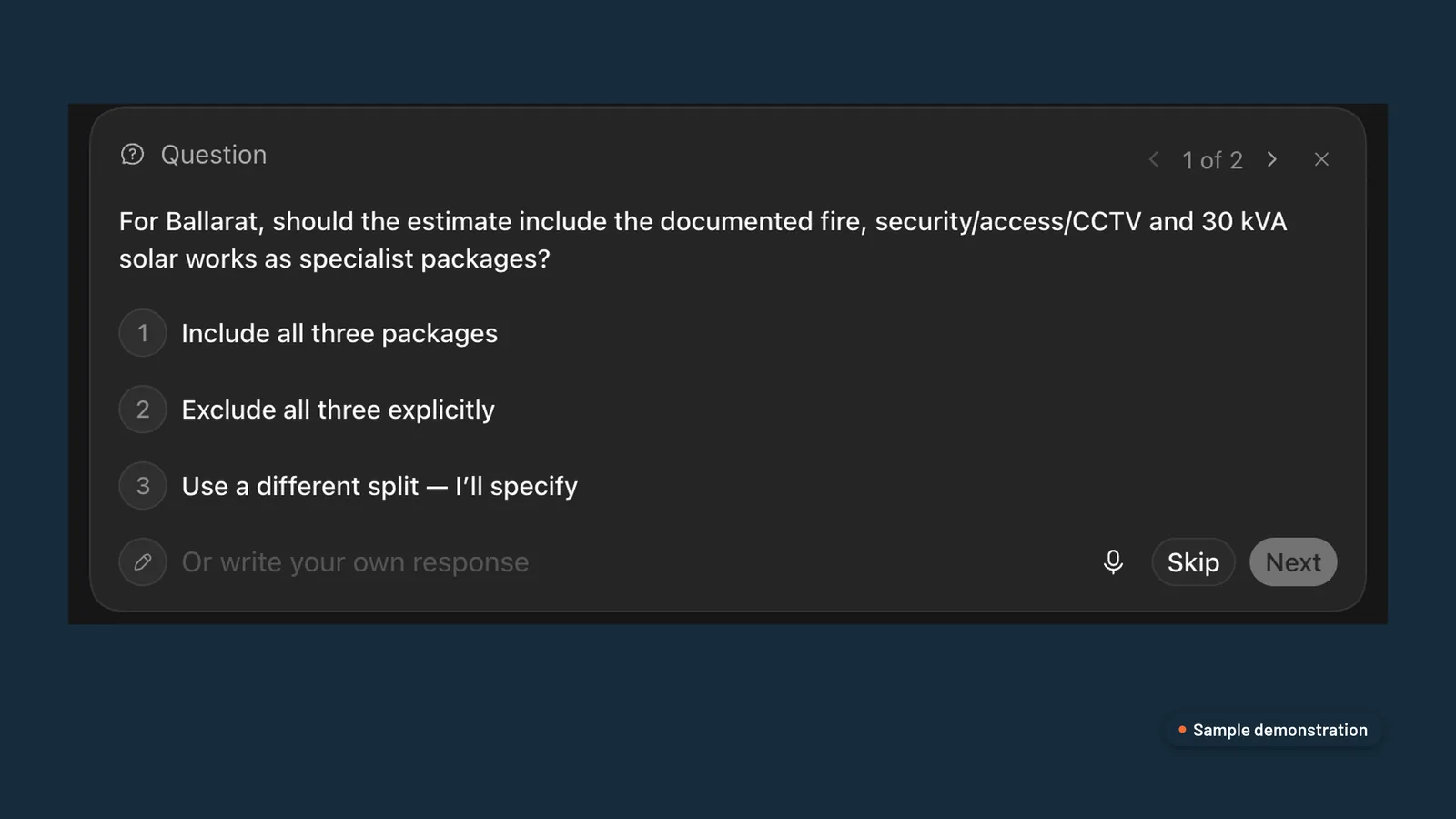 Sample demonstration in ChatGPT. The scope question comes with options instead of a guess.
4. It keeps your estimator in charge
AI can’t be accountable for a price. Your estimator can. The best setup stops at three points and waits: you confirm the BOQ, you approve the price, and you approve each quote letter before it goes to a builder.
5. It handles addenda without starting again
When an addendum lands, it should re-read only what changed, keep your rates on everything else, and show you a change schedule with the price difference. Your original quote stays untouched.
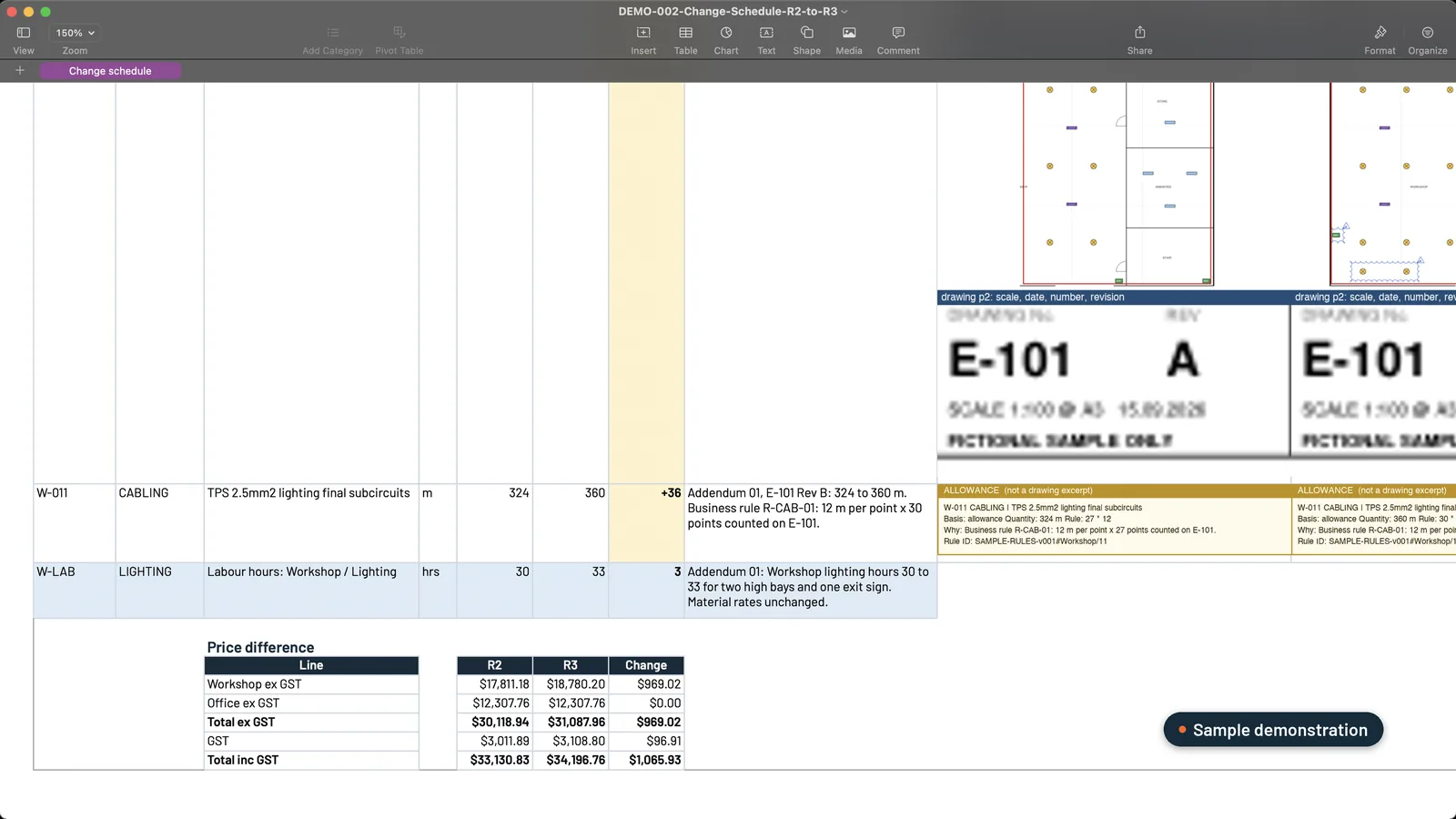 Sample data. The addendum becomes a change schedule with the price difference, not a re-quote.
6. It works where your files already are
You shouldn’t have to move everything into another app. The best setup reads tender packs from SharePoint, OneDrive or Google Drive, drafts supplier RFQs in your email for you to send, and produces workbooks that open in Excel or Google Sheets.
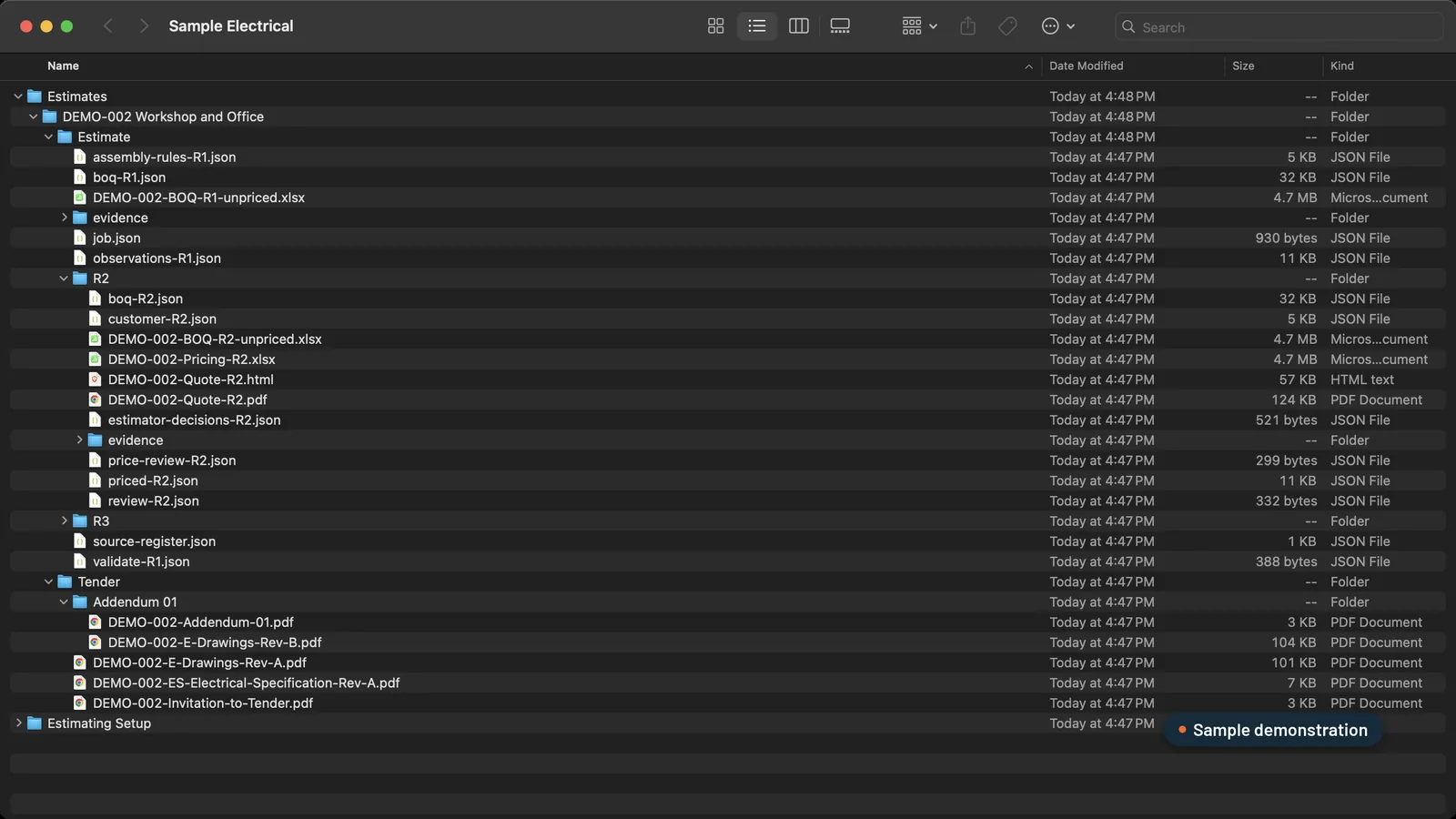 Sample data. One job folder: tender, BOQ, pricing, quotes and the addendum, each revision kept.
7. It writes the quote the way you do
Detailed quotes win work. They answer the builder’s questions before they’re asked. The best setup writes the quote on your letterhead, with your inclusions and exclusions, one letter per builder with its own revision. It keeps your costs and mark-ups off the customer copy.
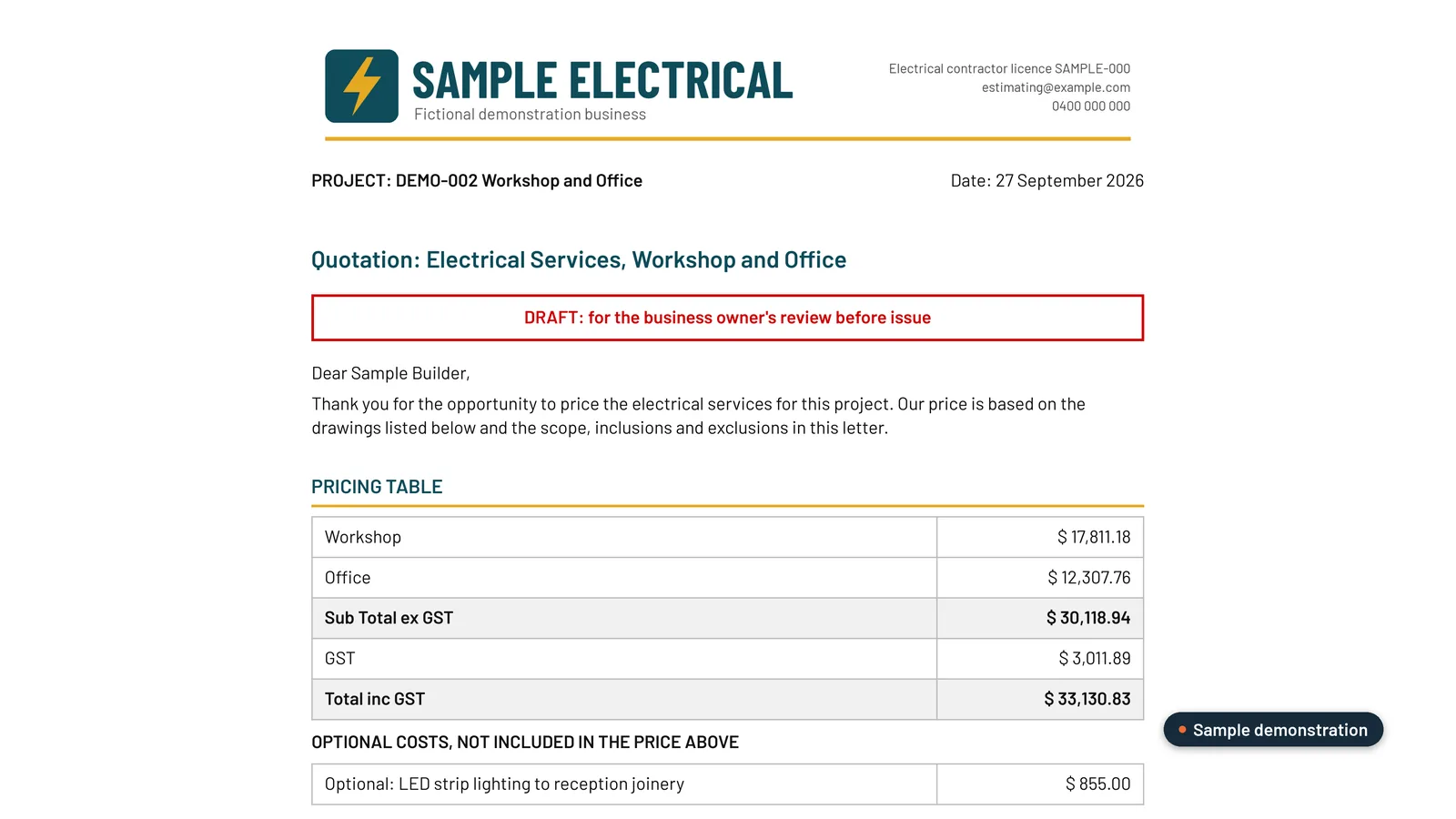 Sample data. Your letterhead, your wording, no internal costs.
How do we build it?
We set this up as a custom estimating plugin inside your own Claude or ChatGPT business account. It runs 15 steps in four stages:
| Stage | Steps | Where you come in |
|---|---|---|
| Drawings to quantities | Register the tender, agree scope, set the scale, count, measure, add your allowances, build your BOQ | Nothing, unless the scope is unusual |
| Confirm the BOQ | A screenshot beside every row; open items on one checkpoint tab | Confirm or edit |
| Pricing | Draft supplier RFQs, load your rates and labour, work out direct costs, apply your selling rules | Send the RFQs, then approve the price |
| Quotes and changes | One letter per builder; addenda re-priced against what you sent | Approve each letter and confirm changes |
We build it from three of your completed jobs: the tender documents, your BOQ and the quote you sent. Then we prove it on those jobs before you rely on it, walk your team through it, and hand over a recording and a step-by-step guide.
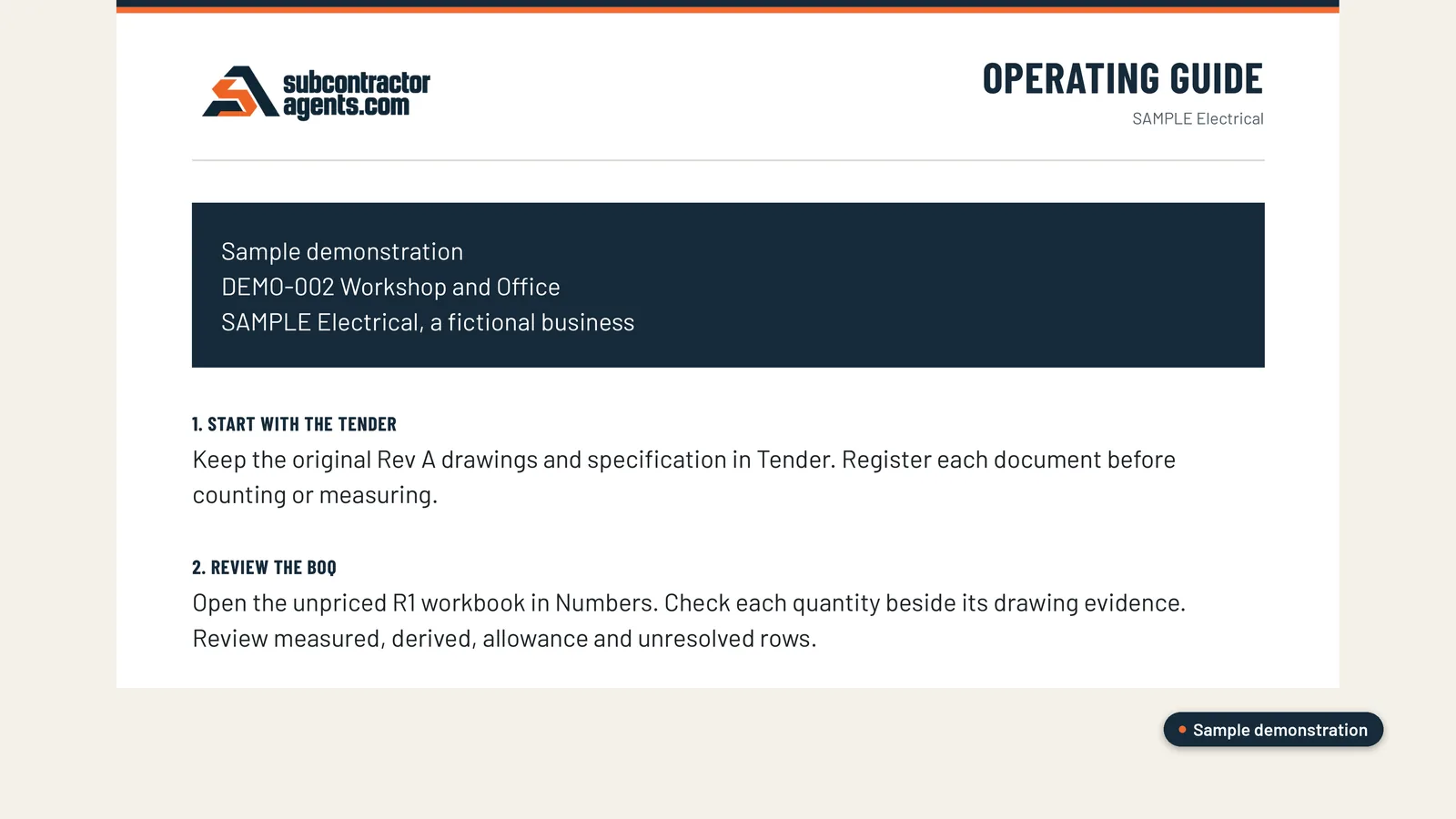 Sample data. The step-by-step guide your team keeps.
What does it cost?
A$6,000, one fixed fee. There’s no subscription to us, and your rates, rules and templates stay fully editable. If it isn’t set up and in your hands within 14 days of us getting your files, you get your money back.
Is it right for you?
It’s built for commercial subcontractors who quote from drawings. So far that’s HVAC, electrical and solar businesses. If you’re spending days on takeoffs, waiting on supplier prices and typing quotes out by hand, it’s worth a look. See how it works, or read whether ChatGPT or Claude can do estimating on their own.
Frequently asked questions
What is the best AI estimating software for subcontractors in Australia?
The best setup is one built around how you already price: your rates, your BOQ template, your scope rules and your quote letter. That's what we build for commercial HVAC, electrical and solar subcontractors, inside your own Claude or ChatGPT account.
Can AI do a takeoff from construction drawings?
Yes, with checks. A good setup counts and measures from the drawings, puts a screenshot of the drawing beside every line, and flags anything it can't read. Your estimator confirms the quantities before anything is priced.
Do I need to replace simPRO, AroFlo or Procore?
No. Those run your jobs once you've won them. The estimating plugin handles the part before that, from tender pack to quote letter, and works with the files where they already live in SharePoint, OneDrive or Google Drive.
How much does it cost?
A$6,000, one fixed fee, with no subscription to us. Your Claude or ChatGPT business plan is paid separately, directly to them.
Want this set up on your own jobs?
We build your estimating plugin in your own Claude or ChatGPT account, around your rates and template, and prove it on three of your completed jobs. A$6,000 fixed.
Book a workflow call →Has worked with 80+ subcontractors on estimating, tendering and job reporting.