
Jobs and siteComing February 2027
The right drawing revision, every time.
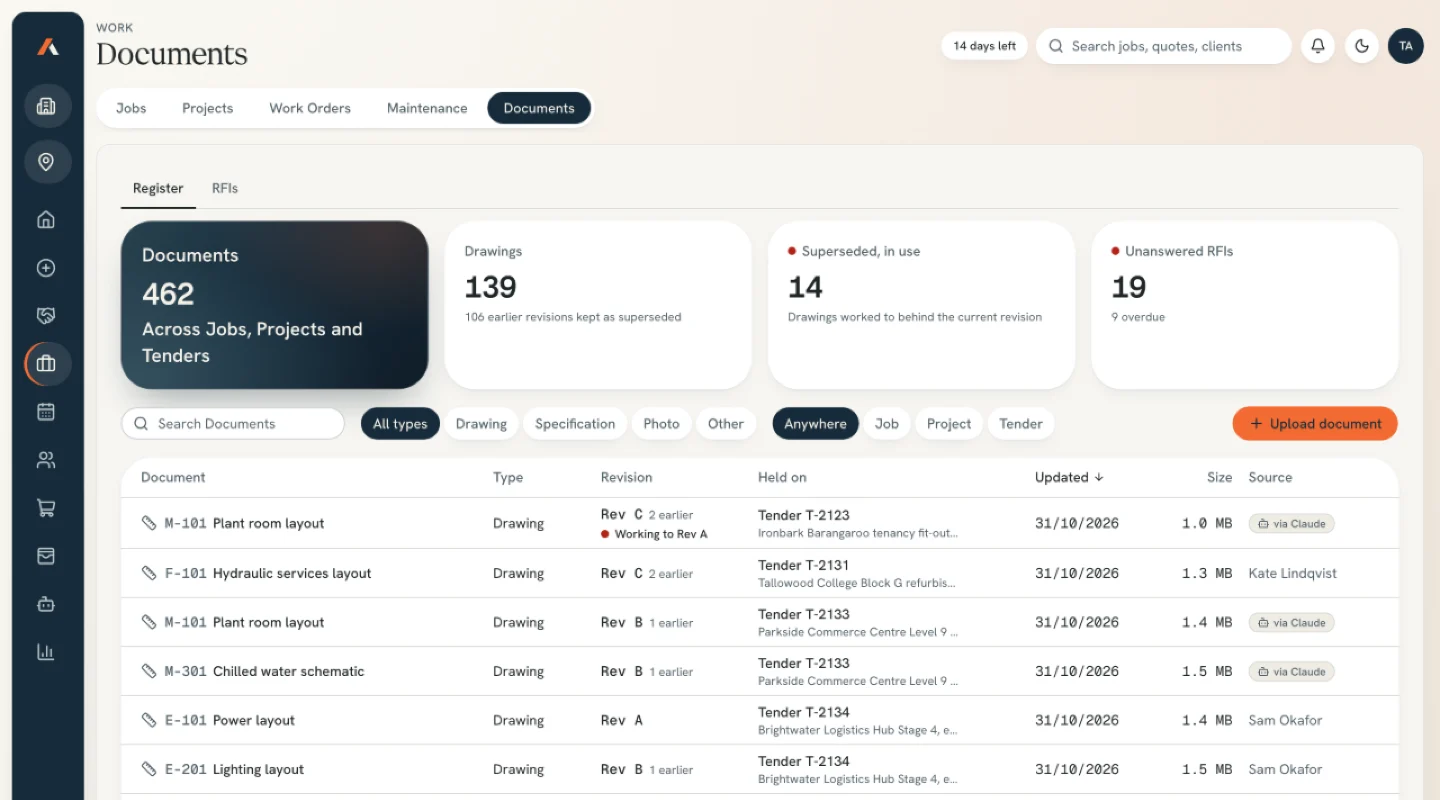
Drawings, specs and RFIs on the job. If the crew is on Rev B and Rev C lands, the drawing turns orange.
Part of the App. Need tenders priced before then? The estimating plugin is available now.
Sound familiar?
The crew worked off Rev B because Rev C was in someone’s inbox.
Transmittals land in whichever inbox the builder has, and the drive has three folders called Drawings. On a print, a superseded sheet looks current.
How it works
It prepares. You decide.
- 01
Add the set to the job
Upload drawings and specs to the job. Each sheet keeps its revision history, current on top.
- 02
Superseded sheets turn orange
When a new revision lands while the crew works to the old one, it stays orange until someone confirms the switch.
- 03
You raise the RFI
Raise RFIs against the sheet, track each answer and see every open one on the job.
Nothing goes out without you
What stays with your team.
Every RFI before it goes to the builder
Which revision the crew works to
Anything filed to the wrong job
Reads from
FAQ
Questions subcontractors ask.
Is it ready?
Not yet. We’re building the App now, and the screens here are sample data. Join the waitlist and we’ll tell you when it opens.
Does it pull drawings from our inbox or drive?
No. You upload them to the job. Nothing reads your mailbox or your drives.
What does “now working to Rev C” do?
It records that the crew has switched sheets. Until someone says so, the job shows that drawing in orange.
Related
Next to this job.
- Coming in the App
Variations
Log each variation against the job, price it from your rates and track it until the builder signs.
Read more - Coming in the App
Jobs and projects
The won quote becomes the job, the orders, the timesheets and the claim. Typed once, with cost and stage on one screen.
Read more - Live today
Estimating Plugin
Give it the builder’s tender pack and it prepares the quantities, prices them with your rates and drafts the quote in the layout you already send. Your estimator checks it and you send it under your name.
Read more
The App
Put your name down for the App.
Five taps and your email. One of us reads it and replies.
Join the waitlist
Tell us what eats your week.
Join the App waitlistLaunching February 2027. No obligation, one of us replies.