
Purchasing and suppliersComing February 2027
Every supplier price side by side.
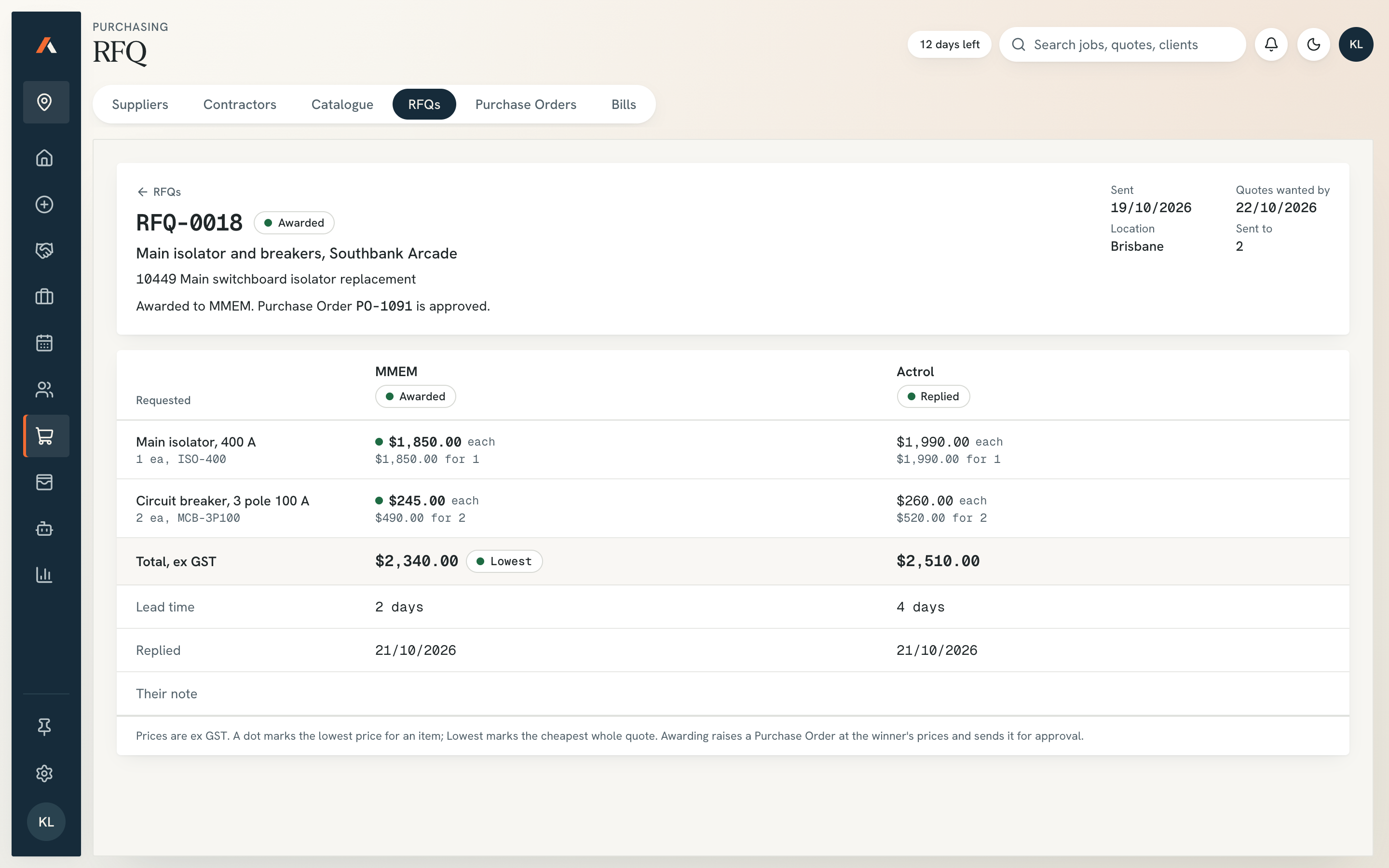
Raise the RFQ from the job’s material list, enter each reply, and compare price and lead time line by line.
Part of the App. Need tenders priced before then? The estimating plugin is available now.
Sound familiar?
Prices arrive across five email threads the night before close.
One supplier sends a PDF, one a spreadsheet, one nothing. Someone retypes it all at 7pm, misses a line, and last year’s price goes out.
How it works
It prepares. You decide.
- 01
Raise the RFQ
Draft the request from the job’s material list. You send it to the suppliers you pick.
- 02
Line up the replies
Each price sits against the line you asked for, with lead time and any substitution.
- 03
You choose the supplier
Missing lines show before you choose. The order then waits for your approval.
Nothing goes out without you
What stays with your team.
The RFQ before it goes out
Which supplier gets each item
Any substitution a supplier offers
Reads from
FAQ
Questions subcontractors ask.
Is it ready?
Not yet. We’re building the App now, and the screens here are sample data. Join the waitlist and we’ll tell you when it opens.
Does it send RFQs and collect the replies?
No. You send the RFQ and enter the replies. It lines them up and shows the gaps.
Does it compare lead times as well as price?
Yes. Each reply shows price and lead time, so a cheap price with a six-week wait is obvious.
Related
Next to this job.
- Coming in the App
Purchase orders
Draft the order from the job and the chosen quote. It goes to the right approver, with the reason shown.
Read more - Coming in the App
Price catalogue
Materials, labour, kits and companion items in one catalogue. Every quote pulls from it, and prices can be locked.
Read more - Live today
Estimating Plugin
Give it the builder’s tender pack and it prepares the quantities, prices them with your rates and drafts the quote in the layout you already send. Your estimator checks it and you send it under your name.
Read more
The App
Put your name down for the App.
Five taps and your email. One of us reads it and replies.
Join the waitlist
Tell us what eats your week.
Join the App waitlistLaunching February 2027. No obligation, one of us replies.